


 12/05/2026
  291 views
One of the first challenges that all startups face is creating a comprehensive business plan. Therefore, business planning software was created as a solution to help CEOs with this task. This software helps managers save time, manage tasks, and accurately forecast business performance based on initial data. Let’s explore the top 10 most effective business planning software with a comparison of the pros and cons of each in this article with 1Office!
Mục lục
- 1. Overview of Business Planning Software
- 2. Which Businesses Should Use Business Planning Software?
- 3. Benefits of Business Planning Software
- 4. Essential Features in Business Planning Software
- 5. Top 10 Best Business Planning Software for CEOs/Leaders
- 6. Criteria for evaluating the most suitable business planning software
1. Overview of Business Planning Software
A business plan needs to clearly outline the development roadmap and future business activities of the company. The more detailed the plan, the greater the team’s chances of success in its execution.
Therefore, business planning software assists users in building a complete business plan, calculating all costs and important business data, such as investment capital, payback period, sales forecasts, public debt policies, and many other factors. This enables businesses to determine their development direction, attract financing, and motivate employees. Ultimately, the entire team will be aligned and focused on pursuing the business goals together.
2. Which Businesses Should Use Business Planning Software?
So, who needs to use business planning software? In reality, the choice of suitable software depends on the type of plan and the business goals of each company.
Here are some cases where businesses should consider using planning software:
- Leaders and managers: These individuals need to use the software to compile detailed information, assess the business situation, and make important decisions.
- Businesses wanting to establish an optimal process system: When a business wants to build a streamlined and interconnected process system between departments, planning software can help manage operations consistently, ensure deadlines are met, and improve work quality.
- Leaders wanting a comprehensive overview: To effectively manage a huge workload, large business projects, or orders, leaders need a comprehensive overview through an implementation plan. Business planning software can help them assign tasks reasonably, optimize the use of internal resources, and evaluate work performance in each cycle.
- Businesses wanting to build diverse, specialized processes based on specific operational needs: If a business has many different types of specialized tasks based on the specifics of each operation, planning software can assist in building and managing these processes effectively.
3. Benefits of Business Planning Software
Business planning software offers many benefits to companies, specifically:
Easily Manage and Track Implementation Processes
The software can categorize work stages and items, helping managers avoid guesswork when structuring tasks. This is particularly useful for small and medium-sized enterprises and startups.
Automated Report Generation
Business planning tools are especially useful for data analysis and report generation. Not all business owners have in-depth knowledge of finance, human resource management, and other fields. Therefore, a business planning tool becomes valuable for its ability to analyze data and create professional, highly accurate business performance reports.
Improved Work Productivity
Planning with software saves more time and effort compared to planning by hand or on paper. Additionally, business planning software helps companies track the plan’s implementation and make adjustments or changes as needed to improve work productivity and achieve business goals.
Saves Time and Human Resources
All relevant information is analyzed and centralized in one interface by the software, allowing managers to easily access data without the effort of traditional searching. The software also assists businesses in organizing and adjusting work schedules by tracking individual tasks, sending automatic reminders for important items, and creating a synchronized communication channel.
4. Essential Features in Business Planning Software
Before deciding to use business planning software, businesses need to research its key features to ensure the planning process goes smoothly. The features of business planning software that companies should consider include:
Availability of Plan Templates for Reference
Building a business plan is a difficult task, and not everyone knows how to create a complete plan. Therefore, managers can choose a tool that provides a variety of pre-made plan templates to select from, suiting their specific needs.
Features for assigning, monitoring, and updating progress
After creating a plan, managers can easily assign tasks to employees directly on the software. This is an essential feature of professional business planning software. Employees will perform tasks as required and within the allowed timeframe, then update their work status. Managers will instantly receive notifications about work progress, regardless of where they are.
Displays data in visual graphs and charts
The software should be able to automatically transform raw data (numbers, text) into eye-catching, easy-to-understand charts and graphs. This feature helps managers easily grasp the information in the business plan, making timely, quick, and accurate decisions.
Ability to integrate with other software
Planning tools are often integrated with sales management software and accounting software. Since all detailed financial information plays a crucial role and appears in every business activity, the software needs to be able to connect with other applications to extract data and compile reports.
5. Top 10 Best Business Planning Software for CEOs/Leaders
Enloop Software
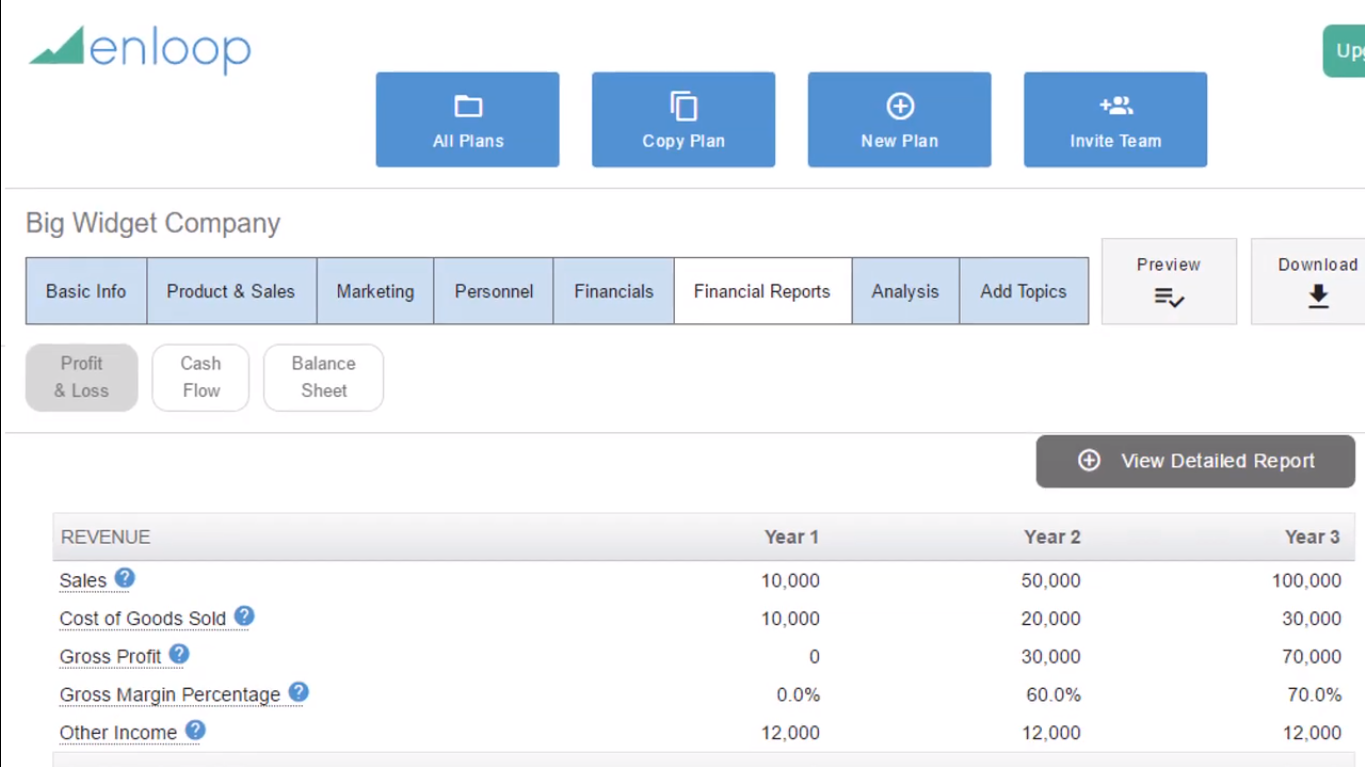
Enloop is an online business planning application with over 320,525 users. Enloop has many impressive features, such as automatic plan text generation, financial ratio analysis, and currency valuation support for many different countries. All of this helps simplify the business planning process.
Advantages of Enloop software:
- Allows users to edit text, add images, tables, and insert financial forecasts into the plan.
- Customize report settings from over 100 different currency formats.
- Allows different teams, departments, and business partners to participate in commenting on and editing the plan.
Disadvantages of Enloop software:
- Cannot publish reports or create accurate plans without providing all the data required by the software.
Reference pricing:
- Free for 7 days
- Detailed plan package: $19.95/month
- Performance package: $39.95/month
Bizplan Software
Bizplan planning software helps businesses present their business plans professionally, especially suitable for startups and new companies.
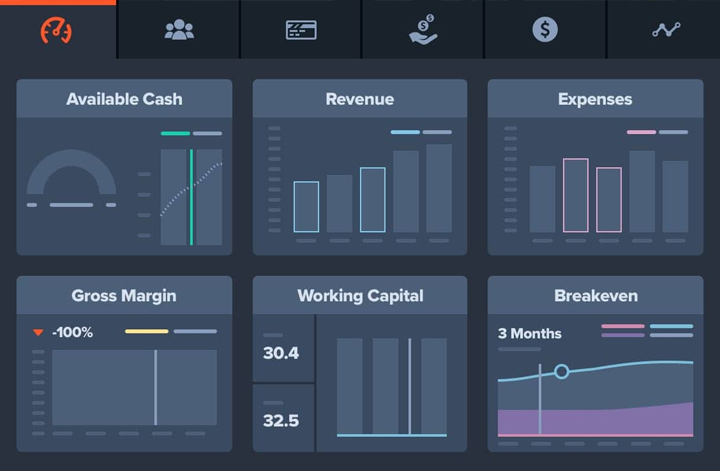
Key features of Bizplan software:
- Businesses can set goals, and the software will automatically handle setting salaries, forecasting revenue, and tracking expenses.
- Breaks down each stage of the overall plan in detail.
- Provides detailed guidance on how to create a plan.
- Creates multi-dimensional financial reports.
- Supports exporting presentations to attract investment.
- Offers an online course with 650 expert-sharing videos and 1000 instructional videos on how to use it.
Disadvantages of Bizplan software:
- Does not offer a free trial version.
- Consultation support is only available via Skype.
Reference pricing:
- Annual plan: $20.75/month
- Monthly plan: $29/month
- Lifetime access plan: $349/month
Business Plan Pro Software
Business Plan Pro software, developed by Palo Alto in the US and distributed in Vietnam by B.O.M IT Joint Stock Company, has a simple interface similar to Windows Explorer.
Key advantages of Business Plan Pro:
- Detailed instructions help users quickly grasp how to create a plan.
- Provides 500 ready-made business plan and report templates.
- Includes 2 Ebooks and a comprehensive knowledge base for businesses.
- Integrates with other business software to save time linking tasks.
- User-friendly interface with features clearly organized by section.
- Supports Unicode and integrates with PowerPoint.
Disadvantages of Business Plan Pro:
- Instructions and information notes are only provided in English.
- No free trial version available.
LivePlan Software
LivePlan is a detailed A-to-Z business planning software that leverages capital and human resources to help businesses achieve their goals. Additionally, this software evaluates various other aspects of the business to improve operations and increase the success rate.
Key features of LivePlan software:
- Forecasts all parameters including net profit, rental costs, marketing, personnel salaries, etc.
- Presents data in vivid charts or graphs.
- Provides 500 templates with user guides and multilingual support.
- Allows businesses to have complete control over access and content security.
Disadvantages of LivePlan software:
- The price is not a suitable option for startups with limited budgets.
- Lacks additional features like competitive analysis.
- Features may be limited for large enterprises and are often more suitable for small and medium-sized businesses.
Reference pricing:
- 1-year plan: $15/month.
- 6-month plan: $18/month
Monday.com Business Planning Software
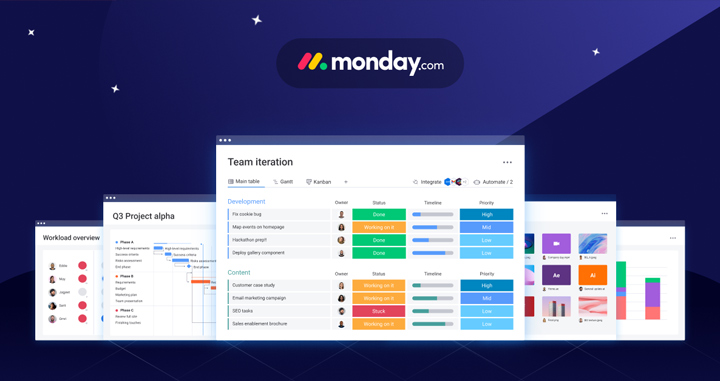
Monday.com is a project management software and business planning tool that helps users manage work effectively from anywhere. From simple tasks to complex projects, Monday.com allows businesses to build the most comprehensive plan.
Key features of Monday.com software:
- Diverse work management modes: Monday.com offers multiple data display modes such as Kanban, Gantt, timeline, and calendar. Users have the flexibility to switch between views, zooming in for details or out for an overview as desired.
- Integration with other business applications: Monday.com optimizes the planning process by connecting data from professional software like Slack, Zoom, Shopify, Google Calendar, etc. This helps businesses automate work, eliminate repetitive tasks, and set up regular reminder notifications.
- Customizable management templates: Monday.com allows for the management of various project types, from planning portfolio management, product introductions, and event organization to scheduling product launches.
Disadvantages of Monday.com software:
- Slow customer support service.
- The free version has many limited basic features.
- The paid version has a relatively high price, making it difficult for small and medium-sized businesses to access.
Poindexter Software
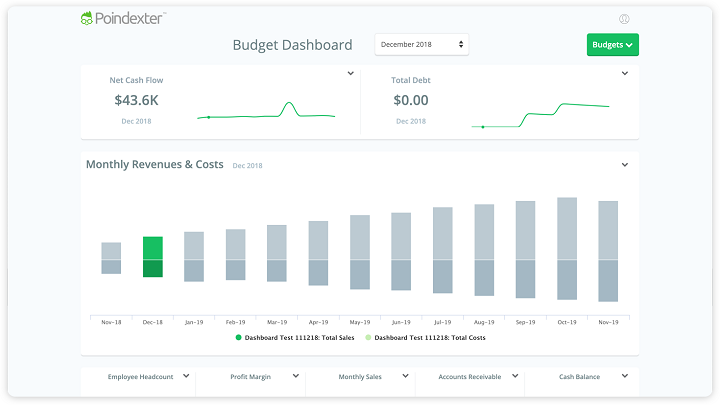
Poindexter is designed to serve users on all platforms, without requiring deep specialized management knowledge. Managers receive immediate feedback on the effectiveness of their business decisions. The software also eliminates the complexity of spreadsheets, helping to remove the risk of errors in the planning process.
Advantages and outstanding features of Poindexter:
- Easy to install, automatically stores information.
- Forecasting based on multi-dimensional reports, providing an overview of all financial information.
- Can link factors without depending on a business model.
- Provides forecasts and warnings about budget and capital shortages.
- Can share personal reports with superiors or invite other personnel to collaborate on tasks.
Disadvantages of Poindexter:
- Does not offer a variety of business plan templates.
- No user guide documentation.
- Does not break down steps or implementation stages in detail.
PlanGuru Software
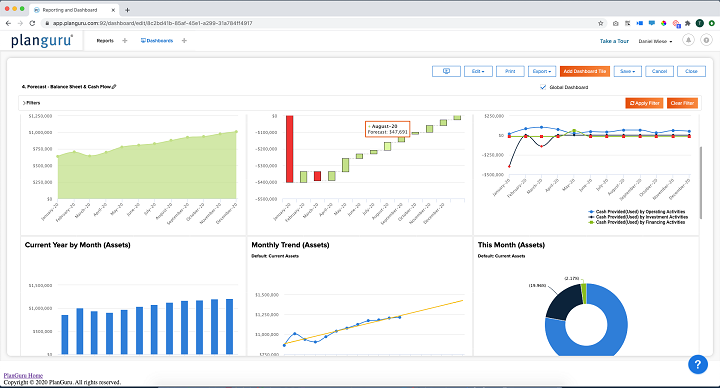
The most significant advantage of PlanGuru software lies in its ability to quickly compile and analyze reports in a short amount of time. Because of this, PlanGuru has helped thousands of businesses and organizations make better decisions based on objective data.
Key features of the software:
- Provides forecasting, calculation, and financial report building tools to support the planning process.
- Allows reports to be published in various formats, including Excel, Word, and PDF.
- Compares two metrics: budget and actual spending to adjust work according to the business strategy.
- Can be linked with other analysis tools.
Disadvantages of the software:
- Does not provide ready-made plan and report templates.
- No free trial version available.
Reference pricing
- PlanGuru Application: $99/month or $899/year.
- PlanGuru for Desktop: $99/month or $899/year.
Go SmallBiz Software
The Go SmallBiz business planning application integrates direct consulting modules, helping businesses receive the fastest support. This software uses 4.0 technology to enable multiple users to connect, creating an optimal experience.
Outstanding features and advantages of Go SmallBiz:
- Integrates a financial forecast suggestion feature.
- Provides many ready-made reference plan templates.
- Allows adding information and illustrative images to the master plan.
- Ensures user satisfaction with a 30-day money-back policy if the software does not meet its committed features.
Disadvantages
- A maximum of 2 licenses/account can be registered per business.
- Documents can only be viewed in PDF or Microsoft Word format.
Reference pricing
- Go Package: $199/year.
- Guide Package – Get advice from experts: $49/month.
- Grow Package – For newly established companies: $39/month.
Asana Software
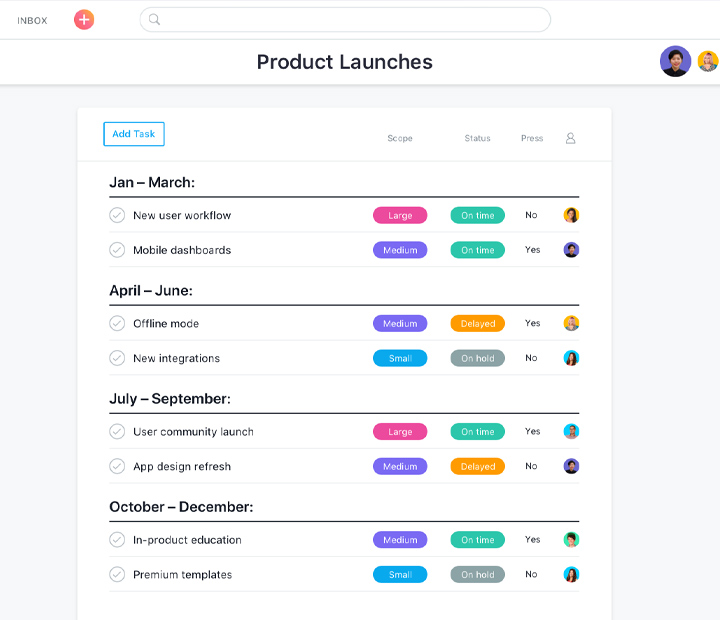
Asana stands out from other business planning software thanks to its friendly, easy-to-use Kanban interface. This software provides all the necessary features to connect work and bring team members together effectively, no matter where they are.
Advantages and outstanding features of Asana:
- Rich free plan: Compared to other software, Asana offers a free plan with diverse features and no time limit. For example, the free version of Asana supports teams of up to 15 members for planning, file storage, project schedule viewing, and integration with other software.
- Automated management processes: Asana helps automate management processes, standardize schedules, and ensure all tasks are completed correctly and on time. This helps businesses save time and increase productivity.
- Agile and Scrum support: Asana allows businesses to apply Agile and Scrum models in planning, quality management, feedback, and task tracking.
- Powerful integrations: Asana integrates with over 100 popular applications such as Slack, Dropbox, Google Drive, Zapier, Zoom, and Salesforce. For example, notifications about new business plans can be sent through both Slack software and Asana.
Disadvantages of Asana software:
- Mobile app is not optimized: The user experience on mobile devices is not as good as the desktop version, and operations on the mobile app can be more complicated.
- Does not support assigning tasks to multiple users: Asana does not allow assigning a single task to multiple users simultaneously.
- Frequent email notifications: The application sends too many reminder emails, which can be annoying for users.
iPlanner.NET business planning software
iPlanner.NET is an online business planning application that assists managers in making decisions based on hypothetical scenarios. iPlanner automatically generates solutions to boost business performance and improve projected financial results.
This software provides a picture of the company’s future cash flow, profits, and financial situation. This process helps managers easily identify needs for additional funding or adjust spending more reasonably.
Outstanding advantages of iPlanner.NET:
- Ensures application security.
- No software installation required, just a web browser and an internet connection.
- Ready for all types of forecasts, budgets, and financial projections.
- Provides contingency planning for various scenarios and risks in subsequent stages.
6. Criteria for evaluating the most suitable business planning software
Device Compatibility
Before deciding to purchase business planning software, you need to check its compatibility with your work devices to ensure the best user experience. Typically, software providers have a dedicated website where you can look up information about the software and then check its compatibility with your computer or phone.
User-friendliness and Ease of Use
Business planning software should be designed with an intuitive interface and simple operations. Additionally, businesses should prioritize choosing a provider with attentive customer support. This helps minimize the difficulties of adopting a new tool, especially if the software is complex.
Software Customization Capability
Another essential factor for planning software is its customization features. Businesses should avoid software with limitations on data formats and the number of participants. Instead, software with flexible customization features will allow users to express their ideas and plan more effectively.
Cost of Use and Software Provider
Comparing the costs and integrated features of business planning applications will help you choose the most suitable software. You don’t need to buy the most expensive software to get all the features you need. Instead, you should choose software that has the necessary features based on your planning needs and at a price that fits your budget.
Information Security
Most users do not want strangers or competitors to view their data due to concerns about idea theft or the disclosure of sensitive, non-public information. Therefore, information security is always a crucial criterion to consider. Before purchasing a specific software, users should carefully review information about security features from the developer to ensure their data is safe.
————————–
With the criteria and the list of the 15 best business planning software mentioned above, we hope that businesses now have a better basis for making the right choice. We hope businesses can apply the planning software correctly and drive growth in their business operations.
















