


Top 9 Accurate and Effective Employee Evaluation Software


Employee evaluation software is becoming increasingly popular and is used by many businesses to manage employee work performance effectively. From this data, managers can make the most accurate and clear decisions regarding employee rewards or penalties. Additionally, effective employee performance evaluation software also helps create a transparent environment where employees can work with peace of mind. Join 1Office to learn more about employee evaluation software in the article below.
Mục lục
1. Why should you use employee evaluation software?
If your business is facing the situations below, you should consider investing in employee evaluation software:
- Employees complain about the company’s systems or operational processes.
- The HR team is spending too much time compiling and organizing performance data, going to each department to track completed evaluations.
- The employee evaluation process is still primarily done on paper or in Excel.
- You are noticing low employee engagement and poor collaboration.
- Too many employees are missing targets, falling behind deadlines, or not meeting their KPIs.
Don’t worry, because employee evaluation software can solve all these problems, benefiting both short-term strategies and long-term business results. This allows managers to have a more effective way to manage subordinates. Here are some outstanding advantages of employee evaluation software:
- Set goals and track progress towards their completion.
- Update and store all employee performance data.
- Identify high-performing and high-potential employees.
- Analyze data in real-time and detect development trends for individuals, departments, and the entire company.
- From the data system, you can predict performance, measure recruitment effectiveness, and implement policies to improve recruitment efficiency.

2. How to choose the best employee performance evaluation software
Currently, there are many employee evaluation software options on the market, each with distinct features and characteristics. To choose the most suitable software for your business, you can refer to the following criteria:
2.1. Simple and user-friendly operations
A user-friendly interface helps reduce training time when implementing the software. At the same time, operational errors will be minimized, and user transitions will become easier. This is a crucial criterion that organizations need to pay special attention to, especially when the workforce is large and the implementation speed needs to be accelerated.
2.2. A highly skilled 24/7 consulting and support team
When implementing employee evaluation software, as with other software, it is advisable to have business experts to consult on an implementation process that suits the specific characteristics of your business. This way, you will know what your business needs and how to proceed.
Additionally, a support department is also essential. During use, system errors are unavoidable. At such times, a continuous and prompt support team is crucial for ensuring the business operates smoothly.
2.3. Usage and implementation costs
There are some free employee management software options on the market, but their features are only partially supported, and they are typically limited to under 5-10 users. If you want to use it for 25-100 employees, the cost is not insignificant, amounting to about $10/month/user. That is a very large figure for the budget of a small or medium-sized enterprise.
To save up to 80% in costs while still having all the features comparable to international standards, you can consider HRM software developed right here in Vietnam. The advantage of this software is that it is designed by Vietnamese providers, so the interface and usage principles are tailored most closely to the management style and corporate culture of Vietnam.
2.4. Employee Tracking Capability
You always want to closely monitor your employees’ work processes, but you don’t have enough time and energy to pay attention to dozens or hundreds of people. One of the ways to evaluate work performance is to choose a management software that can assign permissions to members by departments/projects, just like in real life. Team/project managers will help you closely monitor each employee in the business.
The software also helps you maintain transparency in each employee’s work plan and uses real-time data to tag the status of tasks. Leaders can fully grasp all reports and important business metrics with a simple Filter action.
2.5. Good Management Reporting and Analysis System
Reporting plays a very important role in employee evaluation. It is the only means that helps business leaders observe employee performance visually and accurately. However, the huge volume of information makes this task very time-consuming and labor-intensive for the business.
Therefore, a personnel evaluation software with a dynamic reporting system, visual representations, easy-to-understand data, and customization capabilities is extremely necessary. It is not only useful for managers in decision-making but also helps users manage their work more effectively.
See more: TOP 12 Most Effective Employee KPI Evaluation Software Today
3. Comprehensive and Automated Employee Performance Evaluation Software – 1Office
Currently, 1Office is one of the leading HR software solutions on the market, used by over 6,000 businesses and more than 500,000 users. The software helps managers simplify the employee performance evaluation process while resolving HR issues quickly and effectively.
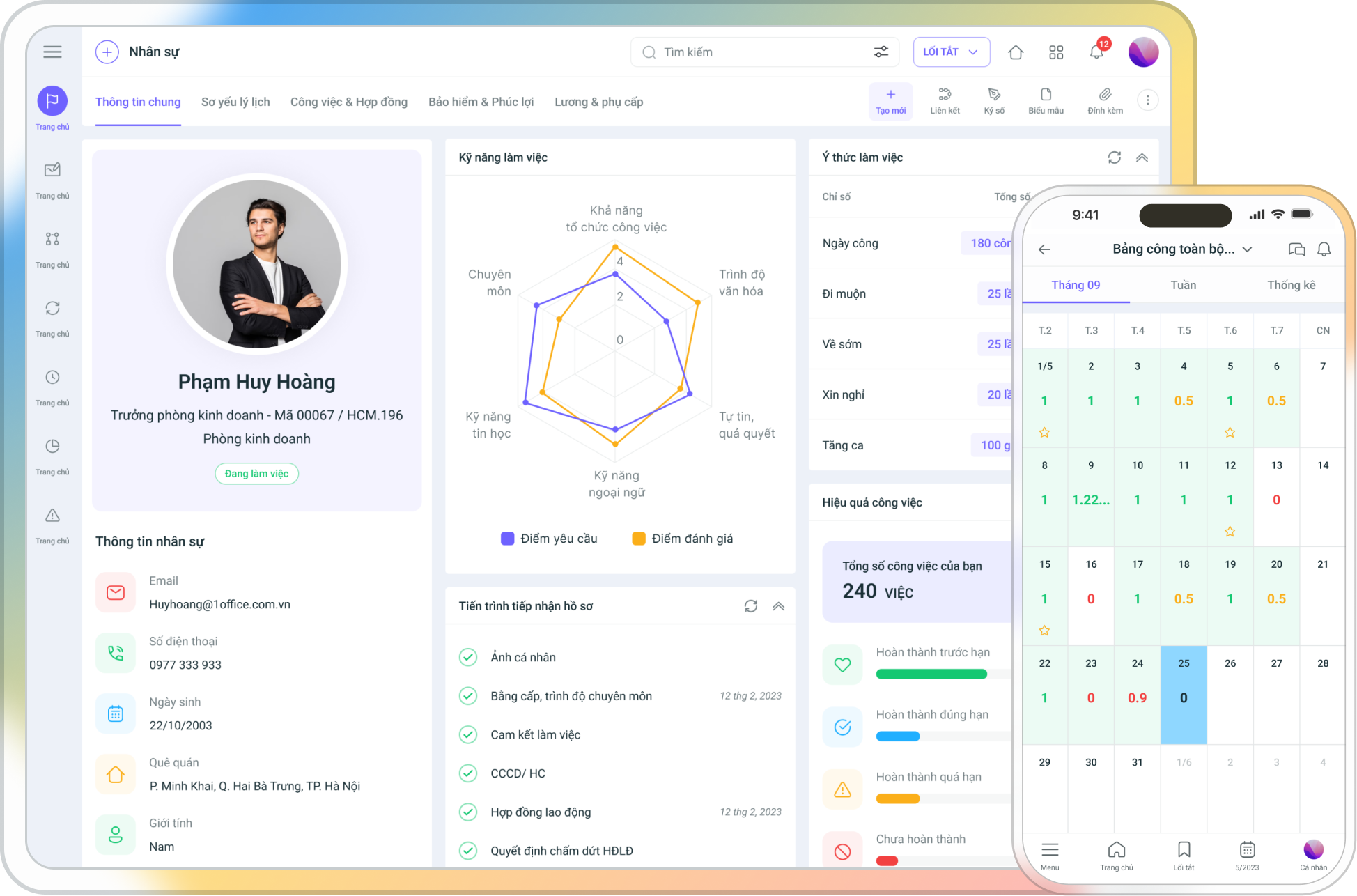
The reporting system of 1Office’s employee performance evaluation software is configured to provide a multi-dimensional, intuitive view in the form of a Dashboard, dynamic reports, and smart filters, helping managers accurately assess employee work performance.
3.1. Create evaluation criteria
The personnel evaluation software allows users to build evaluation criteria for each department, such as sales, HR, customer care, etc., and manage them centrally on a single system. 1Office software helps managers easily track the achievement of evaluation criteria for each department, thereby adjusting the evaluation criteria framework for each department, and even for individual employees.
In particular, the employee performance evaluation feature also supports intuitive employee evaluation forms, helping users easily configure and apply them flexibly to each department in the organization.
3.2. Work Status Reporting
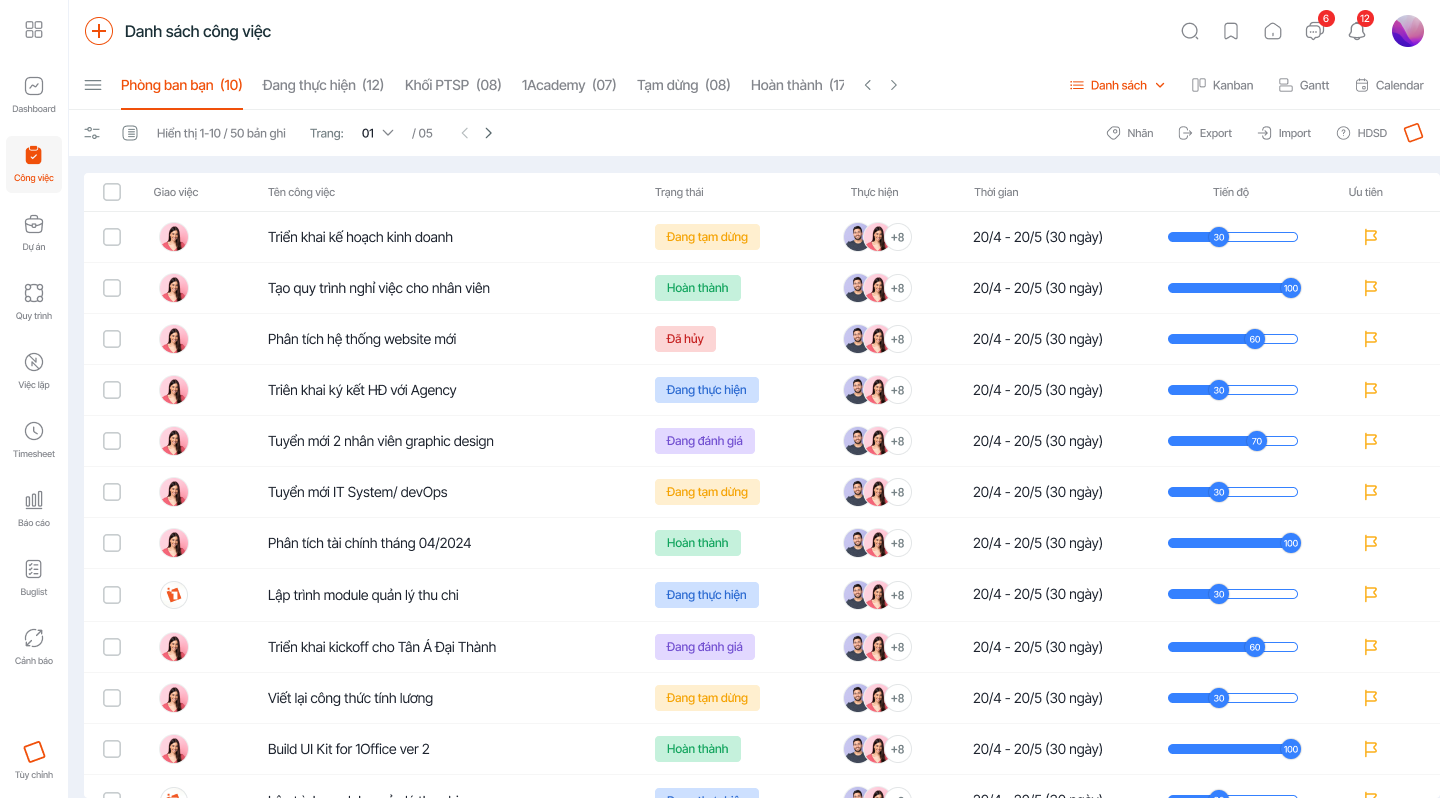
Closely monitor the status and work progress of each individual/department or each project in the business in the Reports section. The results of each small task are also stored and easily retrieved.
3.3. Employee Productivity Report
The employee productivity report helps managers track the total working time and work productivity (in %) of each employee in detail, such as:
- Easily set up evaluations for specific time periods like week, month, quarter, year
- Customize formulas for calculating performance scores
From there, managers will have the most objective view of each employee’s capabilities and can implement fair reward and penalty policies.
3.4. KPI Report
In a business, there will be many different KPI scorecards each month. It’s inevitable that an employee may be on multiple different KPI evaluation scorecards. The KPI evaluation software from 1Office will automatically aggregate data into a general KPI management summary table. For personnel with multiple KPI scorecards, the system will default to taking the highest KPI score for the summary table.
When conducting evaluations, managers can refer to the results of automated reports to ensure the evaluation is accurate and objective. After the evaluation, the system automatically aggregates the KPI scores into a general summary table.
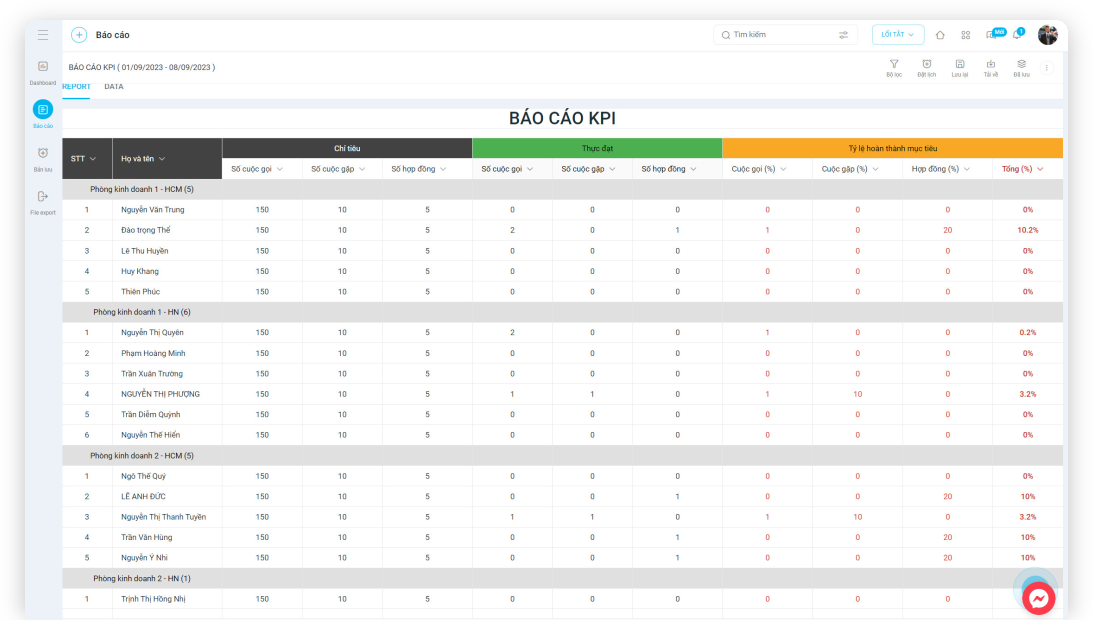
The KPI evaluation feature is integrated with performance management to give managers a detailed view of the work efficiency of each employee. Additionally, this feature is also linked to the payroll module to easily and quickly calculate the salary for each employee.
3.5. OKR Management
The 1Office OKR management solution allows users to manage goals intelligently, measure accurately, and support individuals, departments, and the entire business in setting and evaluating performance to achieve objectives:
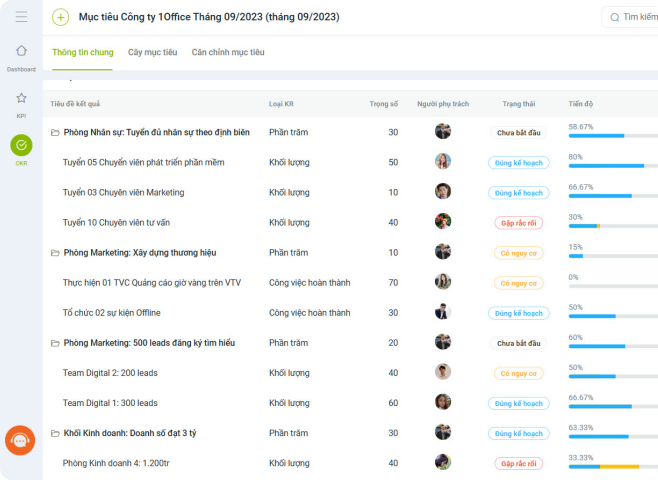
- Set goals for the company, departments, and individuals
- Establish monthly, quarterly, or yearly cycles suitable for the business
- Link individual goals with team, department, and company goals
- Define key results needed to achieve objectives
- Report on goal progress according to a set frequency
4. Conclusion
Applying technology in management is the current trend, and human resource management is no exception. Implementing employee evaluation software early on will help businesses quickly resolve issues as they arise, rather than letting them persist and risk losing talented employees.
For a consultation and a price quote on employee evaluation software and using the HRM software from 1Office, please leave your information, and our 1Office experts will contact you for a consultation.
For more details, please contact us at:
- Hotline: 083 483 8888
- Fanpage: https://www.facebook.com/1officevn/
- Youtube: https://www.youtube.com/channel/UCeTIRNqxaTwk0_kcTw6SxmA




