


 12/05/2026
  354 views
Task management is a daily activity, not just in businesses but also for students juggling multiple deadlines, assignments, and projects simultaneously. Thanks to technological advancements, work management methods are increasingly optimized and more accessible through many free, user-friendly applications. This helps both students and businesses organize their work scientifically, improve efficiency, and reduce the pressure of handling multiple tasks. So, what are the most effective and suitable task management application methods? Let’s find out with 1Office in the content below!
Mục lục
1. What is Task Management? The Role of Task Management
Task management is the process of planning, allocating, and monitoring specific tasks performed to complete a project or job. It is a crucial part of project management and plays a vital role in ensuring that tasks are completed on time and to the highest quality. Specifically:
- Ensuring project progress: Task management helps ensure that project tasks are completed on schedule, ensuring the project is finished according to the plan and achieves its set goals.
- Optimizing resources: Task management helps optimize time and resources by allocating tasks efficiently and ensuring everyone on the team works productively.
- Limiting work duplication: Task management helps minimize work duplication by assigning tasks clearly and ensuring that no two team members are doing the same job.
- Adjusting and updating project progress: Managing work items allows you to track project progress and make adjustments as needed, ensuring the project is completed according to the original plan.
- Improving work quality and efficiency: Task management helps improve work quality and efficiency by assigning tasks to people with the appropriate skills and experience, ensuring that everyone on the team works effectively and focuses on the most important tasks.
2. A Scientific Task Management Process
- Step 1: Identify and list tasks – Before starting task management, you need to identify and list the tasks that need to be done. Tasks must be clear, specific, and complete.
- Step 2: Determine the priority and importance of tasks – Identify important and priority tasks to ensure timely completion. Tasks should be defined by their level of importance, priority, and time.
- Step 3: Assign tasks to each team member – After identifying tasks and their priorities, assign them to each team member or to yourself. Ensure that tasks are assigned according to each member’s abilities and expertise.
- Step 4: Track the progress of tasks – You need to track work progress of tasks to ensure they are completed on schedule. Progress should be monitored regularly, and progress information should be shared with other team members.
- Step 5: Complete tasks and check quality – After tasks are completed, you need to check their quality and ensure they meet the set requirements. If errors or issues occur, take corrective measures to ensure the quality of the work.
- Step 6: Evaluate results and draw lessons – Finally, evaluate the results and draw lessons to improve the task management process in the future. Analyze strengths and weaknesses, find ways to improve and develop ideas for work improvement, and refine skills to optimize work efficiency.

See more: TOP 10 best task management software in 2023 – detailed review
3. 3 Effective Task Management Methods for Businesses
3.1 The GTD (Getting Things Done) Method
The GTD method is a simple and effective task management method. Developed by David Allen, the GTD method focuses on identifying, classifying, and executing tasks clearly and efficiently. The GTD method helps users manage tasks holistically and provides them with a comprehensive work management system.
According to the GTD method, users must follow specific steps to manage their work. These steps include:
- Collect: Gather all your tasks, ideas, information, and notifications.
- Identify: Identify the most important tasks to perform in the next day, week, or month.
- Organize: Sort tasks into different categories for easy management.
- Plan: Plan for important tasks to complete them on time.
- Execute: Carry out the tasks and complete them on time.
- Review: Evaluate the work process and make improvements for future work sessions.
The GTD method helps users manage work tasks effectively and minimize work-related stress.
| Read more: Discover smart and easy-to-apply methods for organizing work |
3.2 The Pomodoro Technique
The Pomodoro Technique is an effective and simple task management method. This technique is based on dividing work into small blocks, called pomodoros, lasting 25 minutes. After each pomodoro, the user can take a 3 to 5-minute break before continuing to the next pomodoro.
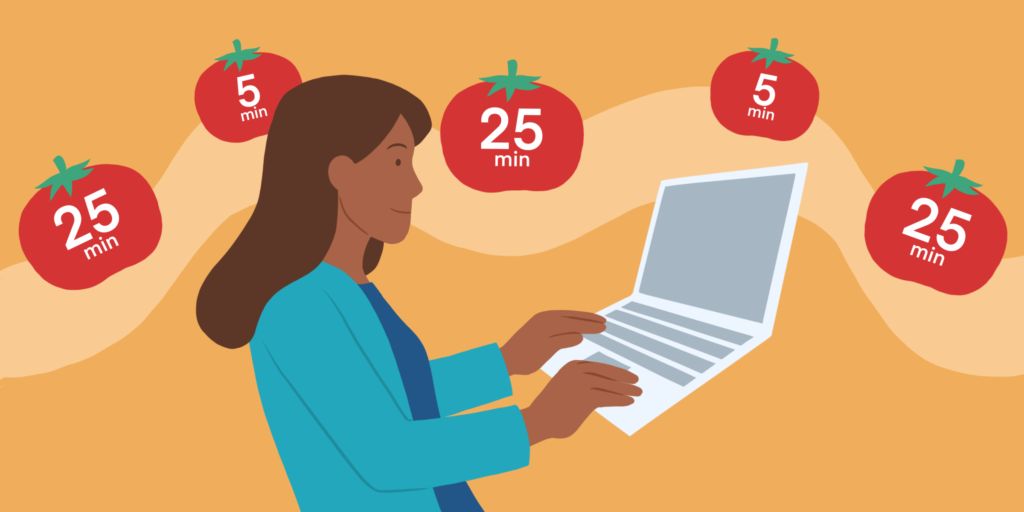
The Pomodoro Technique helps users focus and be more effective at work. This is because when users know they only have to work for a set amount of time, they tend to be more focused and not distracted by other factors.
The steps in the Pomodoro Technique include:
- Choose a task to work on for a 25-minute period.
- Set a timer for the pomodoro.
- Focus on the task for that 25-minute period.
- After the pomodoro ends, take a 3 to 5-minute break.
- After completing 4 pomodoros, take a longer break of about 15 to 30 minutes.
3.3 The Eisenhower Method
The Eisenhower Method, also known as the Eisenhower matrix, is a task management method based on the priority level of each task. This method helps users classify tasks by their level of importance and urgency, thereby helping them manage their time and resources effectively.
The steps in the Eisenhower Method include:
- Classify tasks by priority: Tasks are classified by priority based on their level of importance and urgency.
- Arrange tasks in the matrix: The Eisenhower matrix is a table with 4 quadrants, each representing a priority level. Tasks are placed into the quadrants corresponding to their importance and urgency.
- Execute tasks in order of priority: Start with the tasks in the highest priority quadrant, then proceed to the tasks in the other quadrants in order of priority.
Using the Eisenhower Method helps users manage their work more effectively, focus on more important and urgent tasks, and avoid wasting resources on unimportant or unnecessary tasks.
4. What are the best free and easy-to-use task management apps for students?
For Economics or Marketing students in particular, and students in general, managing deadlines, group assignments, and personal projects is an almost daily occurrence. If you only rely on manual notes or memory, it’s very easy to miss tasks or become overwhelmed. Therefore, using free task management applications is an effective way to better control your work without any cost.
Here are the details of the most popular, easy-to-use, and suitable applications for students:
4.1 Trello
Trello is one of the most accessible work management tools available today, especially suitable for those who have never used a task management app. The application operates on the Kanban board model, where each task is represented as a “card” and organized into columns like “To Do,” “Doing,” and “Done.”
Trello’s greatest strength is its intuitive interface and simple drag-and-drop functionality. You can quickly create a board to manage group assignments, break down each task, and track the progress of each member. Additionally, Trello allows you to add deadlines, checklists, and attachments, making work management clearer.
For Economics students, Trello is particularly useful for Marketing projects or long-term group assignments where you need to track multiple tasks simultaneously while keeping things simple.
4.2 Todoist
Todoist is a list-based task management app that focuses on minimalism and efficiency. From the very first use, you can create tasks, set deadlines, and categorize your work without a steep learning curve.
A standout feature of Todoist is its ability to structure work into projects, tasks, and subtasks, helping you break down large items into specific steps. Additionally, the priority-setting feature helps you know what to work on first, which is especially useful during exam periods or when multiple deadlines overlap.
For students, Todoist is suitable for managing class schedules, individual assignments, and daily tasks. The free version is sufficient for all basic needs without requiring an upgrade.
4.3 Backlog
Backlog is a project management tool focused on planning and tracking progress over time. What sets Backlog apart from other applications is its ability to display tasks in a Gantt chart format, allowing you to see the entire project timeline.
With this feature, students can easily identify important milestones, allocate work reasonably, and track overall progress. You can also set statuses, priority levels, and deadlines for each task, thereby controlling what has been completed and what is still pending.
Backlog is especially suitable for courses related to project management or when you need to plan a long-term Marketing campaign.
4.4 Notion
Notion is a versatile platform that goes beyond task management, allowing you to build a complete personal information management system. In Notion, you can combine notes, databases, calendars, and tasks within a single workspace.
Notion’s strength lies in its high degree of customization. You can create a personal dashboard to manage all your studies, store documents, take lecture notes, or track work progress. For Economics or Marketing students, Notion is also useful for saving case studies, ideas, and research materials.
However, because it has many features, Notion requires some time to get used to. Once you become proficient, it can become a comprehensive management tool that replaces many other applications.
4.5 Asana
Asana is an in-depth work management tool, often used in corporate environments but also very suitable for students working in groups.
The application allows you to display tasks in various formats such as lists, boards, or timelines, giving you flexibility in how you track work. You can assign tasks to each member, add descriptions, attach documents, and communicate directly within each task.
Asana is suitable for student groups working on large projects, organizing events, or implementing Marketing campaigns where clear coordination among many people is needed. Despite its many features, the free version of Asana is still sufficient for small groups.
If you are looking for a free and easy-to-use task management app, the choice will depend on your specific needs:
- If you want a simple, intuitive tool: Trello
- If you need to manage daily personal tasks: Todoist
- If you work with timelines and long-term plans: Backlog
- If you want to manage everything in one place: Notion
- If you frequently work in groups: Asana
If you have never used a task management app, you should start with Trello or Todoist because they are easy to get used to. Later, as your needs grow, you can switch to Notion or Asana to optimize your study and work performance.
4.6 ClickUp
ClickUp is a comprehensive work management platform, often seen as a combination of Trello, Notion, and Asana. This application offers a wide range of features in a single system, from task management and note-taking to goal tracking and progress reporting.
The standout feature of ClickUp is its flexible customization with multiple view types such as list, board, calendar, timeline, and Gantt chart. You can manage your work in the way that suits you best, without being limited by a fixed structure.
Additionally, ClickUp supports creating detailed tasks with clear statuses, priorities, assignees, and deadlines. Students can use it to manage both their personal studies and complex group projects.
However, because it has many features, ClickUp can be a bit overwhelming for beginners. If you are willing to spend time getting acquainted with it, this is a very powerful tool for optimizing work performance.
5. Using Task Management Software – The Key to 3X Productivity
Today, using work management software is no longer unfamiliar but has become an essential need for everyone from students to businesses. For students, these tools help manage deadlines, assignments, and personal projects systematically, reducing the chances of forgetting tasks or working without a plan. Meanwhile, for businesses of all sizes, building a well-structured work management system, such as choosing to use professional work management software, is a crucial factor for operating efficiently, optimizing processes, and enhancing overall productivity.
- Increased Productivity: Task management software helps users increase productivity by enabling them to manage their time and work more effectively. Users can organize and prioritize tasks clearly, thereby minimizing wasted time and increasing the ability to complete tasks on time.
- Work Synchronization: Task management software helps users synchronize their work across multiple devices. This ensures that users can access their task lists from anywhere, at any time.
- Improved Organization: Task management software helps users organize their work more clearly, helping them avoid pressure and disorganization. Users can create task lists and arrange them by priority, ensuring that important tasks are completed first.
- Error Reduction: Task management software helps users minimize errors in the work management process. Tasks are described in detail and have clear deadlines, which helps users avoid forgetting or delaying important assignments.
- Easy Information Sharing: Task management software allows users to easily share information about tasks with colleagues or partners. This helps team members stay updated on task progress and work together to complete assignments on time.
In the article above, 1Office has introduced readers to various task management methods and a few easy-to-use, effective task management applications, while also providing a technology solution to help optimize work management and 3X productivity.
















