


 09/05/2026
  1855 views
Timekeeping software is becoming a crucial tool for businesses to manage working hours, shifts, and HR data more accurately. Instead of relying on Excel timesheets or manual timekeeping methods, many businesses now prioritize solutions that can automate processes, synchronize data, and connect to payroll.
In this article, let’s join 1Office to explore the top timekeeping software available today and quickly find out which options are suitable for large, medium, and SME businesses.
Mục lục
- What Is Timekeeping Software?
- Top 13 Timekeeping Software for Medium and Large Enterprises (2026 Update)
- Summary Table of 20 Timekeeping Software for Small Businesses/SMEs
- Benefits of Using Timekeeping Software
- Criteria for Choosing the Right Timekeeping Software
- Future Development Trends in Timekeeping Software
- Discover 1Office’s AI-Integrated Timekeeping Software
- Frequently Asked Questions When Choosing Timekeeping Software (FAQs)
- Conclusion
What Is Timekeeping Software?
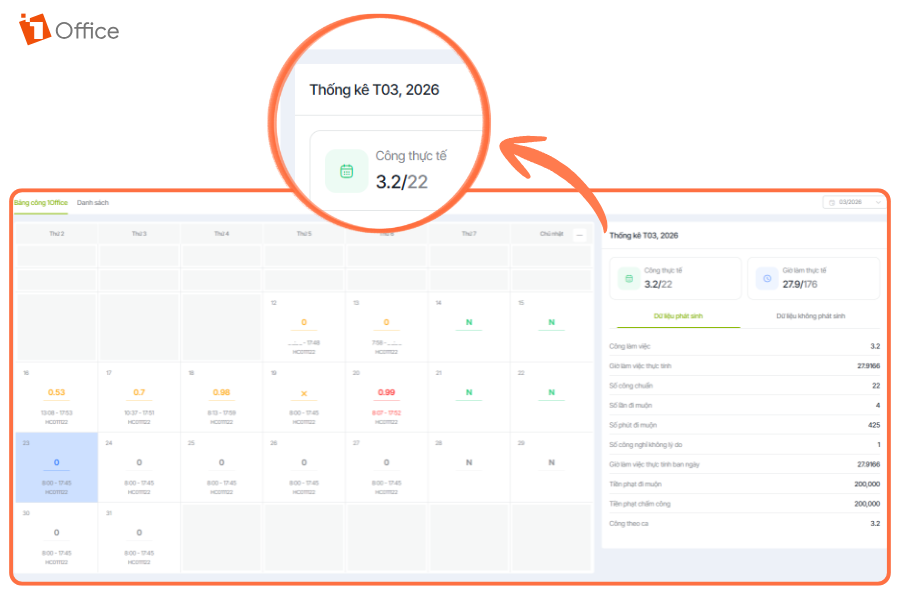
Timekeeping software is a solution that helps businesses automate the recording and management of employee working hours. Instead of using manual logbooks or Excel files, the system can connect directly with devices such as fingerprint scanners, card readers, FACE ID facial recognition, or mobile apps to accurately record clock-in and clock-out times in real-time. Additionally, data from the software can be synchronized with payroll and HR management systems, helping businesses save processing time, reduce errors, and enhance operational transparency.
Top 13 Timekeeping Software for Medium and Large Enterprises (2026 Update)
Before diving into the details, let’s take a quick look with 1Office at a summary table of the strengths and weaknesses of 13 timekeeping software options for medium and large enterprises in Vietnam.
More suitable for Vietnamese businesses:
| Software | Target Audience | Pros | Cons |
|---|---|---|---|
| 1Office | Medium/large businesses, scaling up | Connects with multiple time clocks, automated timekeeping & payroll, all-in-one system | Not as in-depth as SAP/Workday at a global level |
| MISA AMIS | Medium to large Vietnamese businesses | Strong automation, compliant with Vietnamese business practices, easy to implement | Dependent on the MISA ecosystem |
| Base Checkin | Businesses using Base | Integrates well with the Base system, user-friendly UI | Requires using multiple Base modules for optimal performance |
| Lạc Việt SureHCS | Medium to large businesses | Compliant with Vietnamese law, easy to apply in practice | Interface is not very modern |
| FPT.iHRP | Vietnamese corporations | Highly customizable, full HR features (social insurance, tax, etc.) | Complex implementation, requires resources |
| HRPRO7 | Manufacturing, construction | Flexible modules, handles complex shifts | Initial setup is time-consuming |
| iPOS HRM | F&B, retail chains | Optimized for the F&B industry, good shift & POS management | Not suitable for multiple industries |
| FastWork | Field staff | Strong mobile & GPS features, fast implementation | Not strong in overall HRM |
| Paradise HR | Businesses needing basic HR | Sufficient HR & timekeeping features, easy to use | Not very prominent, not highly specialized |
| TAS-ERP | Traditional businesses | Stable, familiar, supports time clocks | Lacks cloud/mobile features |
More suitable for foreign businesses:
| Software | Target Audience | Advantages | Disadvantages |
|---|---|---|---|
| SAP SuccessFactors | Multinational corporations | International standards, handles complex rules, strict policies | High cost, long implementation time |
| Workday HCM | Global enterprises | Powerful cloud, real-time data, highly scalable | High price, requires an implementation team |
| UKG Ready | Businesses with multiple shifts, large workforce | Strict control over shifts, OT, and timekeeping | Less common in Vietnam, requires training |
1Office
Target Audience: All business sizes (Optimized for medium/large/scaling businesses)
Rating: 9.5/10
In Vietnam, 1Office timekeeping software has established its reputation in the market with over 6,000 businesses and 500,000 users. As a comprehensive timekeeping management solution, 1Office not only helps businesses track employee work hours accurately but also connects directly to the payroll, supports automatic payroll calculation and provides a comprehensive business management software solution.
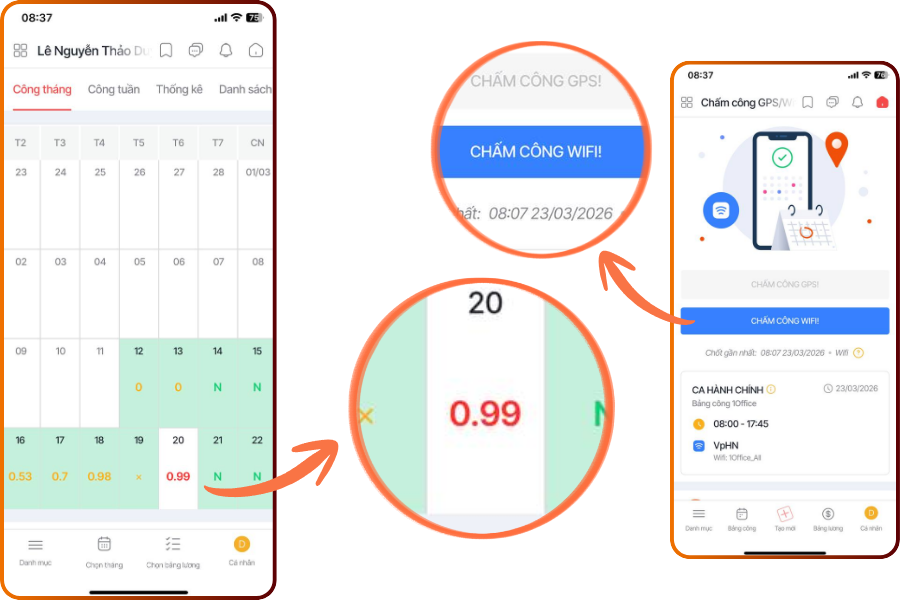
With 1Office, managing timekeeping and processing payroll becomes easier, more transparent, and more efficient than ever with features for digitizing forms and automatically connecting to time clocks. This way, the software helps you reduce the time spent on data aggregation (leave requests, fingerprint logs) for HR within the company.
Notably, 1Office can link directly with payroll software and connect to all popular time clock models on the market, such as MITA, RONALD JACK, ZKTECO, ACTATEK, HANET AI, etc. This is a standout feature of 1Office timekeeping software compared to other current timekeeping solutions.
See more: Top mobile timekeeping apps of 2026
1Office HRM timekeeping software offers many features, utilities, and flexibility to help managers, such as:
- Allows for various check-in methods like fingerprint, Face ID, magnetic cards, GPS, etc., directly on the app, making it highly suitable for companies with employees who frequently travel or work remotely.
- The timekeeping process for shift workers or employees at multiple branches becomes simpler, with data consolidated on a single location-based timekeeping software, making it easy to export data and calculate payroll. Employees can create requests for leave, early departure, or late arrival directly on the software, completely eliminating manual procedures.
- Timekeeping reports are generated in a visual and easy-to-read format, helping management track the working hours of each individual and implement appropriate policies.
The timekeeping management feature in 1Office focuses on quickly pushing attendance data to the timesheet, helping managers save time on monthly work summaries. Employees can track their work hours in detail and report instances of late arrivals and early departures, helping managers get a detailed grasp of employee performance.
Register for a FREE Demo today!
MISA AMIS
Target Audience: Medium and large Vietnamese businesses
Rating: 9.0/10
Developed by MISA, one of Vietnam’s leading enterprise management software companies, MISA AMIS Timekeeping offers a comprehensive automation solution for the timekeeping and payroll process. With this online HRM timekeeping and payroll software, businesses can save up to 50% of their time compared to traditional methods.
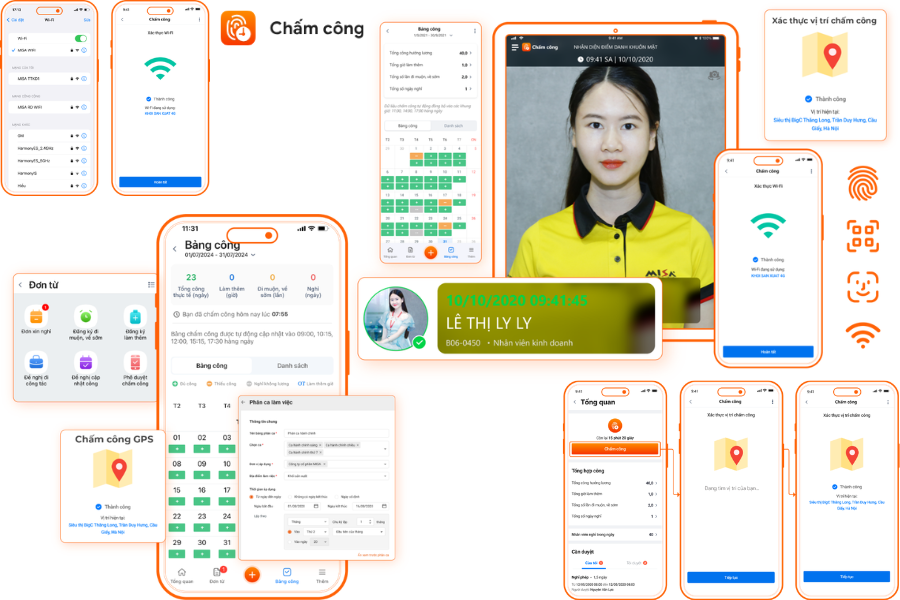
MISA AMIS Timekeeping software integrates various modern technologies such as Face ID recognition, GPS positioning, QR codes, Wi-Fi, etc., making timekeeping fast and convenient. The software provides a full range of features, including shift scheduling, leave request management, work confirmation submissions, automatic timesheet aggregation, and exporting reports in Excel format.
Key Features:
- Suitable for businesses with flexible and complex working hours, such as night shifts, split shifts, overtime, etc.
- Easily manage, track, and approve timesheets on any device.
- Connects to and aggregates data from time clocks, ensuring data is recorded instantly and updated automatically on the system.
- Compiles accurate and reliable timekeeping reports.
Base Checkin
Target Audience: Businesses using the Base ecosystem
Rating: 8.8/10
As a key part of the comprehensive Base HRM human resource management ecosystem, Base Checkin delivers a superior timekeeping experience, helping businesses and employees save time and effort while improving work efficiency.
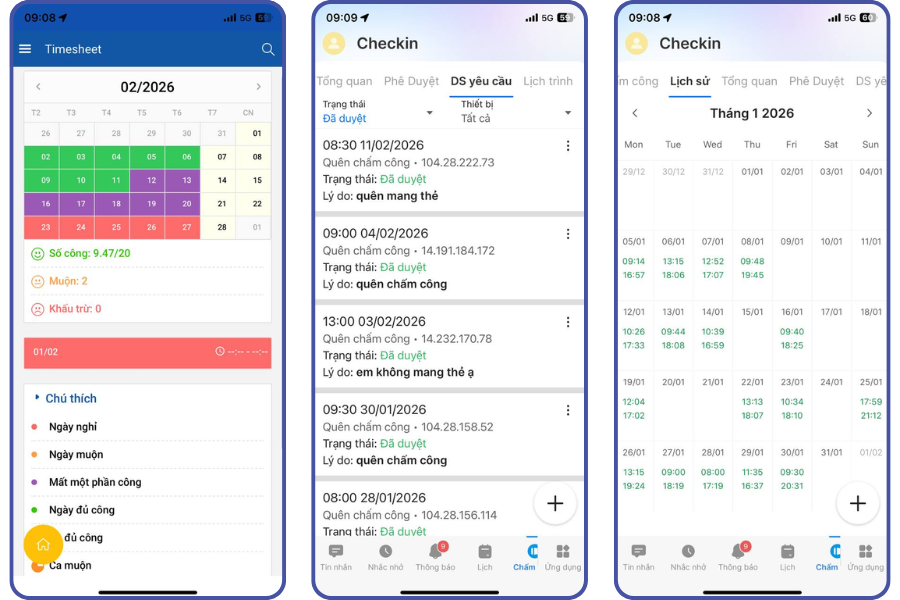
Base Checkin supports various check-in methods, including fingerprint, facial recognition, QR code, GPS positioning, and a mobile app, fully meeting the needs and specific characteristics of each business. Whether employees work in the office, at a construction site, or travel frequently, timekeeping remains fast, accurate, and extremely convenient.
Key Features:
- Supports diverse timekeeping methods, integrating data from various sources
- Provides quick timekeeping information for both managers and employees
- Easily search, verify, and manage timekeeping data
- Integrates seamlessly with other software on the Base platform, creating a smooth workflow for managing HR information, timekeeping, leave, and payroll.
Reference: Various timekeeping methods for businesses to easily choose from
TAS-ERP
Target Audience: Large enterprises using traditional timekeeping models
Rating: 8.6/10
TAS-ERP is a timekeeping and payroll software that has been on the Vietnamese market for quite some time. The software’s strength is its excellent support for traditional timekeeping models, especially for businesses that use time clocks and require stable data management.
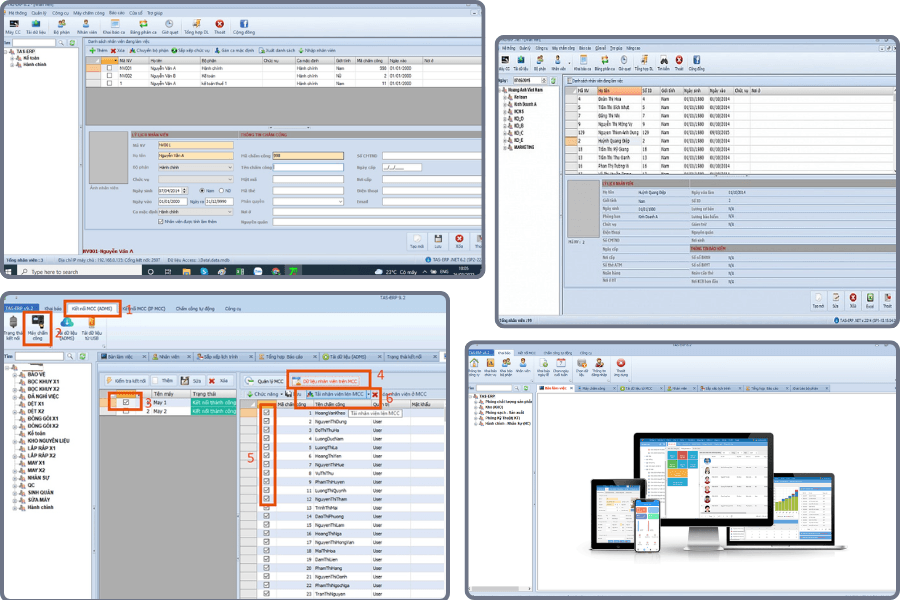
TAS-ERP is suitable for businesses accustomed to hardware-based timekeeping processes and looking for a simple, user-friendly implementation.
Suitable for:
- Businesses currently using traditional time clocks
- Companies wanting a familiar, easy-to-deploy solution
- Organizations needing an offline version or a flexible deployment model
Lạc Việt SureHCS C&B
Target Audience:
- Medium and large enterprises
- Companies needing to link timekeeping with compensation and benefits
- Organizations with employees working at multiple locations
Rating: 8.9/10
Lạc Việt SureHCS C&B is a solution focused on timekeeping & compensation management systems. The software supports online, GPS, and Face ID timekeeping and is suitable for businesses that need to synchronize timekeeping, payroll, and approval data on a single system.
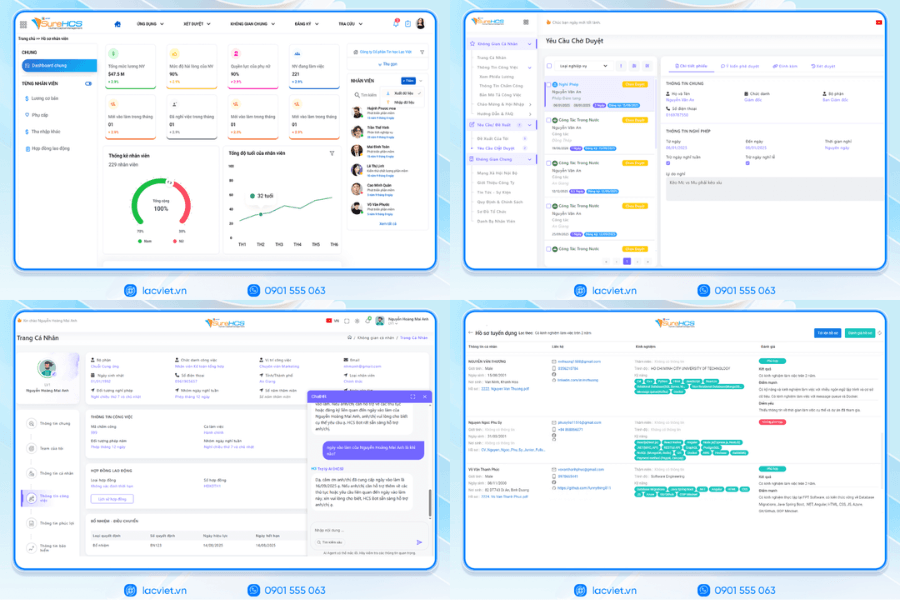
A plus for SureHCS is that it is designed to closely match the needs of Vietnamese businesses, making it easier to apply in practice, especially for organizations that need to flexibly manage various work arrangements.
FPT.iHRP
Target Audience: Corporations, large domestic enterprises
Rating: 8.7/10
FPT.iHRP is a time clock software developed by FPT, targeting large enterprise groups. Besides timekeeping, the software also supports compensation and benefits, insurance, taxes, personnel records, and many other operations.
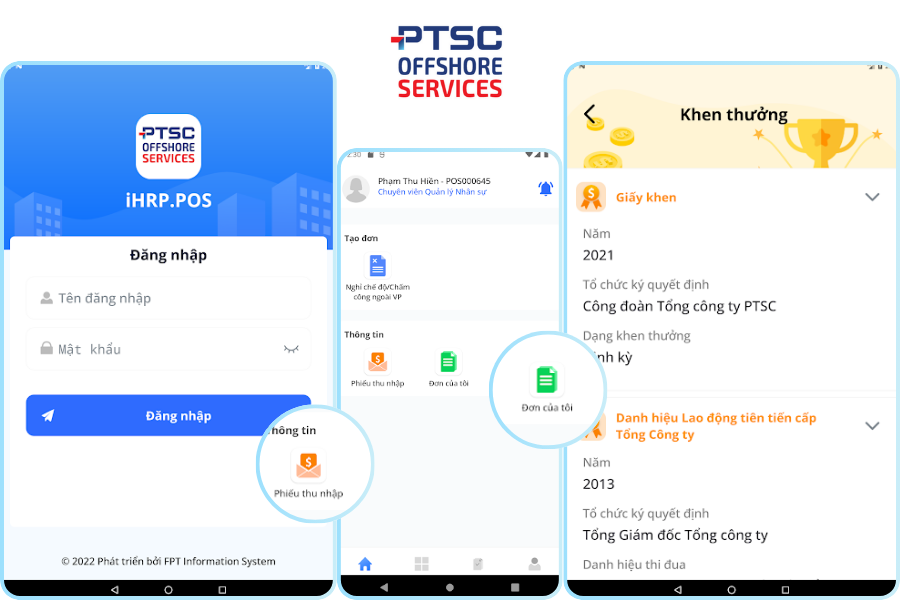
This is a suitable choice for businesses that need an in-depth employee timekeeping system that is systematically implemented and can be customized according to internal processes.
Suitable for:
- Large enterprises, corporations
- Companies with complex HR policies
- Organizations needing a domestic, enterprise-level timekeeping software
iPOS HRM
Target Audience: Medium to large F&B chains, restaurants, cafes<brSee more: Top HRM Software for the Construction Industry
SAP SuccessFactors
Ideal for:
- Corporations, large enterprises
- Multinational companies
- Organizations with complex HR processes
Rating: 9.1/10
SAP SuccessFactors is an international human resource management solution, often used by large corporations or multinational enterprises. SAP’s timekeeping software can meet complex requirements for time tracking, shifts, labor regulations, and reporting.
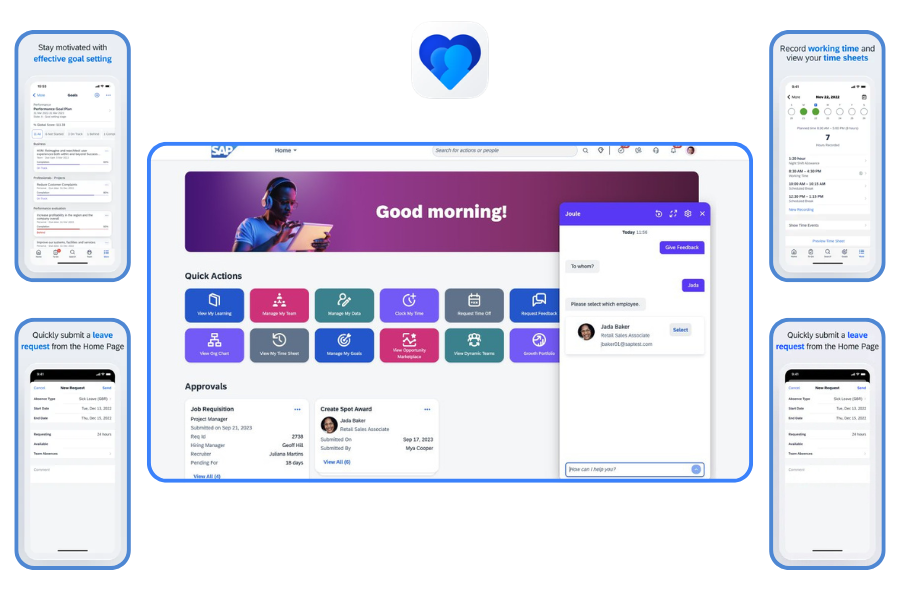
This is a powerful software, but it also requires significant implementation costs and resources. Therefore, SAP is generally more suitable for large-scale enterprises rather than companies needing a simple solution.
See also: Top HRM Software for the Tourism Industry – Latest 2026
Workday HCM
Ideal for:
- Large enterprises
- Corporations with multiple departments and countries
- Companies looking to standardize a comprehensive HCM system
Rating: 8.8/10
Workday is a prominent international HCM (Human Capital Management) platform that includes features for managing work time and attendance. This software is suitable for businesses that want to tightly integrate timekeeping, HR management, leave, work schedules, and payroll.
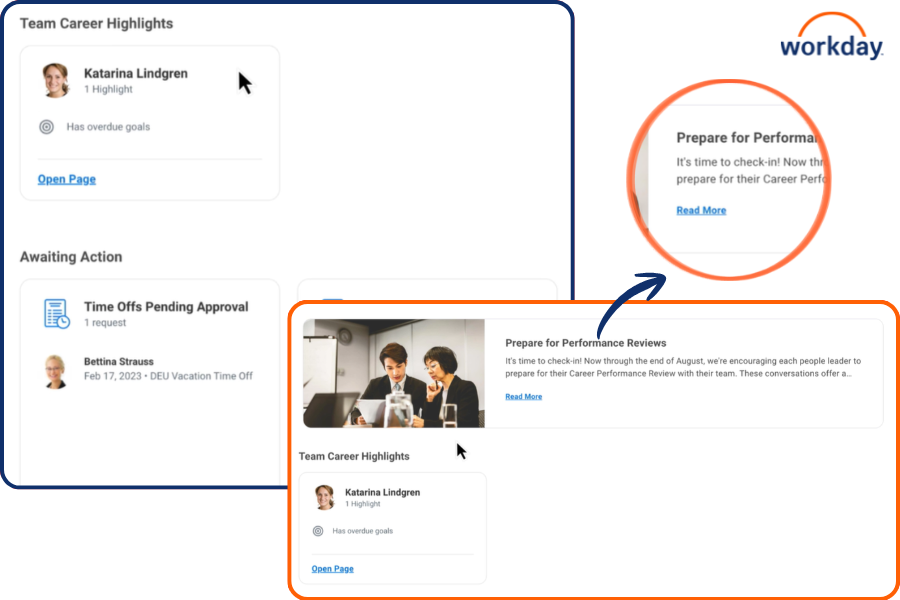
Workday’s strengths lie in cloud technology, scalability, and large-scale data management. However, it is a more suitable solution for enterprises that already have a modern management orientation and a corresponding investment budget.
UKG Ready
Ideal for: Large enterprises with multiple shifts / a distributed workforce
Rating: 7.8/10
UKG Ready is known as a solution for workforce management, timekeeping, and shift scheduling. This software supports tracking work hours, overtime, leave, flagging discrepancies, and maintaining tight control over attendance data.
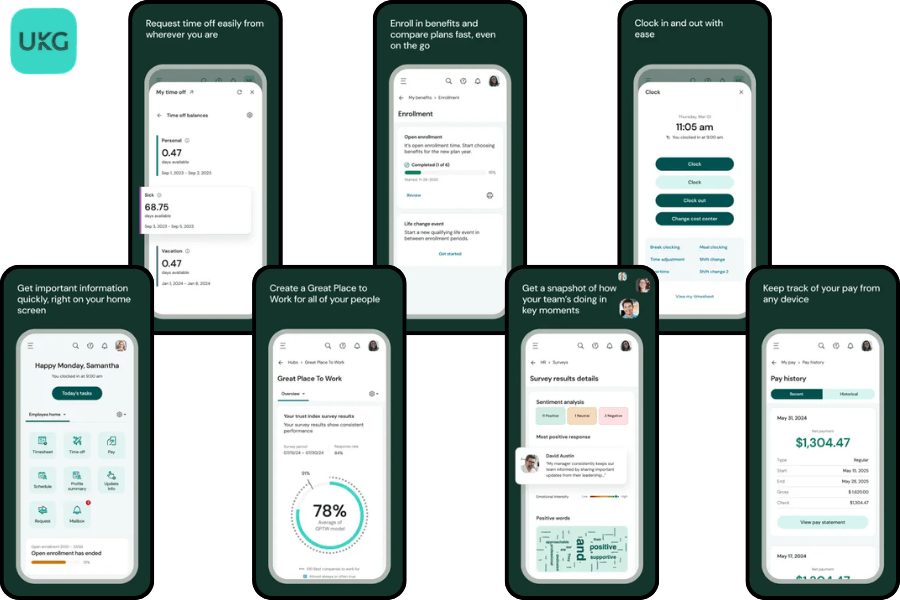
If a business has many shift-based employees, a distributed workforce, or needs strict control over working hours, UKG Ready is a worthy consideration.
Suitable for:
- Businesses with multiple work shifts
- Companies needing tight control over overtime and attendance
- Organizations with a distributed workforce
FastWork
Ideal for: Businesses with field staff or remote workers
Rating: 8.7/10
FastWork stands out for its mobile timekeeping, Face ID, and GPS capabilities. This software is particularly suitable for businesses with many field employees, remote workers, or those needing to monitor check-in locations.
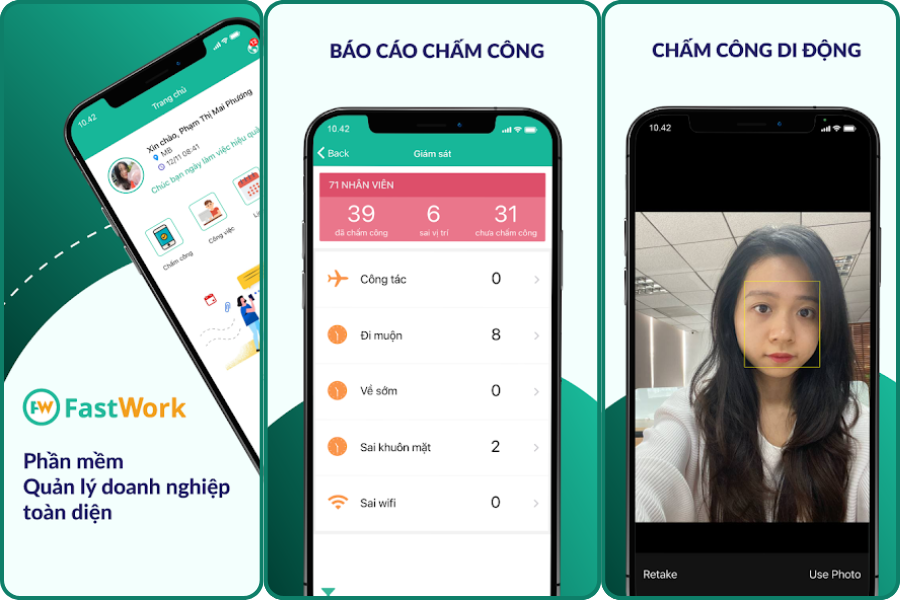
FastWork is quite practical, easy to implement, and suitable for businesses looking to quickly solve the challenge of field timekeeping without a cumbersome system.
Suitable for:
- Sales teams, technicians, field supervisors
- Businesses with a remote workforce
- Companies needing fast, flexible mobile timekeeping
Paradise HR
Ideal for: Small to large enterprises needing a basic HR system
Rating: 8.5/10
Paradise HR is an HR management software with features like timekeeping, leave management, employee records, and payroll. The software also supports integration with many popular time clock devices.
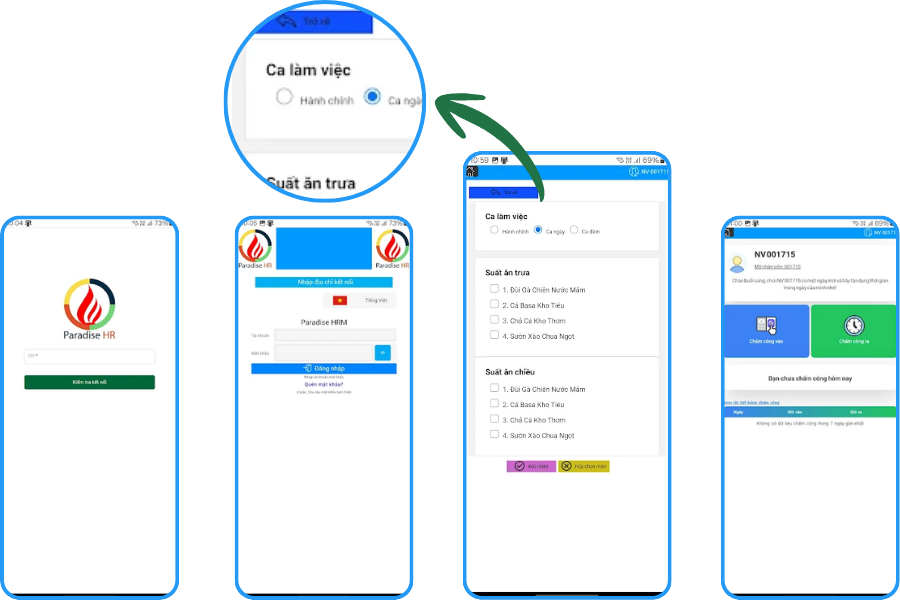
Although not as well-known in the market as some major brands, Paradise HR is still a worthy option for businesses looking for a solution focused on core HR functions.
Suitable for:
- Businesses needing to manage HR and timekeeping on a single system
- Companies wanting to connect with existing time clock devices
- Organizations that require a thorough demo before implementation
Summary Table of 20 Timekeeping Software for Small Businesses/SMEs
| Software | Solution Type | Key Features | Key Strengths | Limitations | Best For |
| EasyHRM | Comprehensive HRM | Timekeeping, payroll, employee records | Easy to use, minimal training | Lacks advanced features | SMEs <200 employees |
| ACheckin | Mobile-first | GPS, WiFi, QR, FaceID | Flexible, real-time check-in | Not strong in payroll | Sales, mobile workforce |
| Tanca | Shift Management | Shifts, timekeeping, overtime | Handles complex shifts well | Not strongly mobile-focused | Retail, F&B |
| HappyTime | HRM + Internal Comms | Timekeeping + communication | User-friendly interface | Limited in-depth features | Startups, young SMEs |
| TimeSOFT | Time Clock Machine | Connects to machines, timesheets | Stable, familiar | No cloud/mobile | Traditional businesses |
| KingWork | Extended HRM | Timekeeping + HR workflow | Comprehensive management | May have redundant features for small needs | Scaling SMEs |
| Faceworks | Customizable System | Timekeeping + administration | Flexible, highly scalable | More complex setup | Businesses wanting to build a custom system |
| Truetime | Basic cloud | Online timekeeping | Lightweight, easy to deploy | Lacks advanced features | SMEs needing simplicity |
| Hubstaff | Time tracking | Project and performance tracking | Strong for remote work, in-depth tracking | Not suitable for traditional timekeeping | Agency, remote team |
| QuickBooks Time | Time + finance | Time tracking + payroll | Strong accounting integration | Reliant on the QB ecosystem | International service businesses |
| Replicon | Enterprise tracking | Time + cost + project | In-depth tracking | Quite complex | Consulting, large service firms |
| OnTheClock | Simple Cloud | Timekeeping, PTO | Easy to use, fast deployment | Limited customization | Small SMEs |
| VeriClock | GPS tracking | Location tracking | Strong for field management | Not strong in HRM | Construction, engineering |
| Buddy Punch | Shift Timekeeping | Shifts, timesheets | Very easy to use | Lacks advanced analytics | Restaurants, retail stores |
| Time Doctor | Productivity tracking | Performance tracking | In-depth productivity analysis | Overkill for just timekeeping | Remote, hybrid |
| Wise Eye | Time Clock Machine | Fingerprint, card, face | Popular, easy to use | Not flexible for mobile | Offices, factories |
| Ronald Jack Pro | Dedicated Machine | Connects to RJ devices | Good hardware synchronization | Device-dependent | Businesses using Ronald Jack |
| WISAMI | Hybrid | GPS + time clock machine | Combines traditional + mobile | Requires initial setup | Multi-branch businesses |
| MITACO | Basic Traditional | Timekeeping summary | Simple, easy to use | Lacks new features | Small businesses |
| MitaPro | Upgraded Traditional | Reporting, machine connection | More flexible than older versions | Not strong in mobile | Businesses needing reports |
| FTA | Basic attendance | Basic timekeeping | Easy to deploy | Limited information, needs thorough testing | Traditional businesses |
Benefits of Using Timekeeping Software
Timekeeping software helps businesses manage employee work time more easily, accurately, and with greater resource savings compared to manual methods.
Enhance Accuracy and Transparency
The software automatically records check-in and check-out times, minimizing errors from manual data entry. All data is stored on the system, making it easy to check, compare, and ensure transparency in timesheet and payroll calculations.
Save Time and Costs
Instead of spending a lot of time compiling timesheets in Excel, HR can quickly track and export data from a single system. This reduces manual workload, saves operational costs, and minimizes potential errors.
Read more:
Optimize HR Management
The software helps businesses track tardiness, early departures, leave, overtime, and work shifts for each employee. This allows managers to better control their workforce and make more accurate decisions.
Improve Employee Experience
Employees can easily clock in, review their work history, timesheets, and related information directly on the system. This provides convenience, clarity, and gives employees greater peace of mind at work.
Flexibly Manage All Work Models
Modern leave/timekeeping software can support various formats such as in-office, remote, hybrid, or shift-based work. This enables businesses to effectively manage work time regardless of the model they adopt.
Criteria for Choosing the Right Timekeeping Software
To choose the right timekeeping software, businesses should not focus solely on price or the number of features. A suitable solution must meet current needs, be easy to implement, and be able to support the company’s long-term growth as it scales. Below are the key criteria to consider.
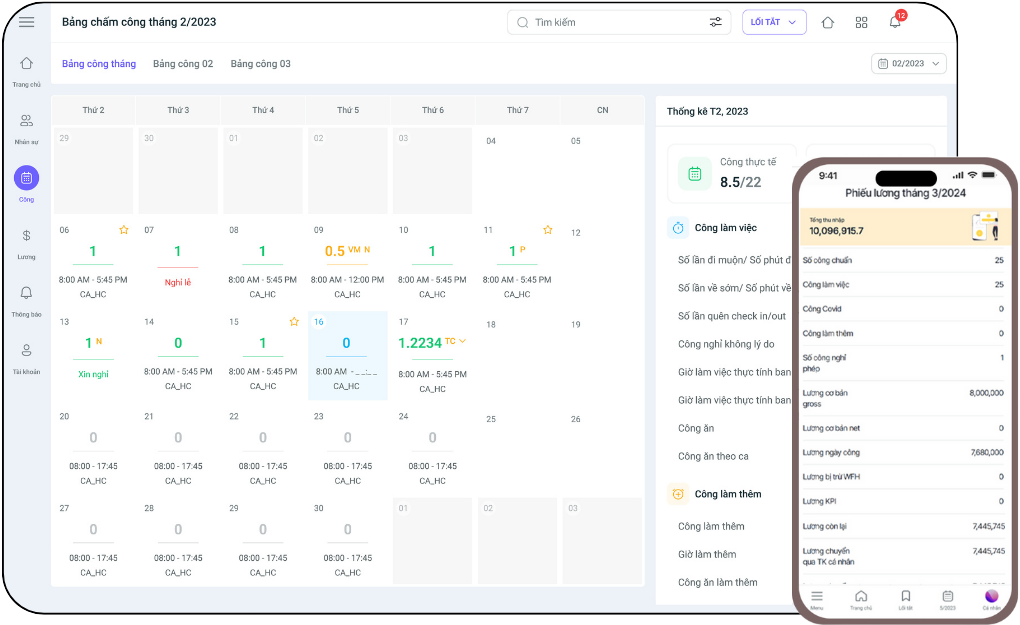
Diverse Timekeeping Methods
Each business has its own operational specifics, so timekeeping software should support multiple methods to be easily applicable to different job roles. If it only supports one fixed method, it will be difficult for the business to implement it uniformly.
Prioritize software that supports:
- Fingerprint, card, and facial recognition clock-in
- Clock-in via GPS, WiFi, or mobile app
- Suitable for office staff, field staff, and remote employees
This allows businesses to flexibly apply it to various work models while maintaining tight control.
Integration Capabilities
Timekeeping software is more effective when it can connect with other systems within the business. If timekeeping data is not linked to payroll or HR software, HR still has to perform many manual entry steps, which is time-consuming and prone to errors.
A software should be able to integrate with:
- Payroll software, time clock registration number software, etc.
- Human Resource Management (HRM) systems
- Employee management or task management tools if needed
The ability to synchronize data between departments will help businesses reduce manual tasks and build a more consistent management process without needing complex time clock software installation methods.
Flexible Shift Management Features
For businesses with multiple shifts, departments, or frequently changing work schedules, the shift management feature is crucial. Good software should support clear shift assignments and be easy to adjust when actual changes occur.
Check if the software supports:
- Creating various types of work shifts
- Arranging, swapping shifts, and registering for overtime
- Recording split shifts, rotating shifts, or flexible shifts
- Setting rules for tardiness, early departures, and overtime
This feature is especially necessary for businesses in manufacturing, retail, restaurants, service chains, hotels, or logistics.
See more:
In-depth Reporting and Data Analysis
Timekeeping is not just about recording work hours; it is also a data source that helps businesses assess their personnel situation. Therefore, the software should have a clear reporting system to help managers easily monitor and make decisions.
An effective software should provide:
- Daily, weekly, and monthly timesheet reports
- Statistics on tardiness, early departures, leave, and overtime
- Reports by department, branch, or individual employee
- An intuitive, easy-to-follow dashboard
With complete data, businesses can better control their workforce and detect operational issues early.
User Interface (UI/UX)
Software with many features but a difficult-to-use interface will discourage employees from using it and cost the business significant training time. Therefore, the interface is a criterion that should not be overlooked.
A good interface should be:
- Easy to view and operate
- Clearly organized functions
- Employees can clock in and view their timesheets themselves without extensive guidance
- Easy for managers and HR to export reports and check data
A user-friendly interface will help increase system adoption rates and reduce the burden of internal support during implementation.
Scalability
Many businesses choose software based only on their current needs, but after a while, when the number of employees increases or new branches are opened, the old system can no longer keep up. Therefore, scalability is a factor that needs to be considered from the very beginning.
Businesses should choose software that can:
- Serve businesses of all sizes, from small to large
- Easily add users, departments, branches, etc.
- Support different operational models as the business grows
This helps avoid having to change systems too soon, which can be costly and disrupt operations.
Data Security
Timekeeping data is directly related to personnel information, work history, and compensation, so security must be a top priority. Suitable software should not only be convenient but also ensure data safety.
Businesses should prioritize systems that have:
- Clear role-based permissions
- Secure and stable data storage
- Regular data backups
- Control over edit and access history
This is a crucial criterion for mitigating the risk of information leaks or data loss during use.
Technical Support and Cost
When implementing timekeeping software, a business is not just buying a tool but also needs a partner to accompany them throughout its use. If technical support is slow or guidance is lacking, the business can easily face difficulties when errors occur.
When evaluating a provider, consider:
- Whether the cost fits the budget
- If there are additional fees for installation, training, or maintenance
- Whether the support team is responsive
- If there are user guides and onboarding support
Suitable software is one that has a reasonableImplementing timekeeping software effectively isn’t difficult if your business follows the right steps. By clearly defining your needs, choosing the right software, setting it up carefully, and providing thorough training for staff, your business will save significant time and manage personnel better.
If your business doesn’t have an in-house training team or wants a fast and correct implementation from the start, 1Office is ready to provide A-Z training & user guidance for our timekeeping software.
Register for a Free Feature Demo!
Future Development Trends in Timekeeping Software
In the future, timekeeping software will do more than just record clock-in and clock-out times. These platforms are becoming a crucial part of the human resource management system, helping businesses work faster, more accurately, and more conveniently for both HR and employees.
Here are some notable trends.
Artificial Intelligence (AI) and Machine Learning (ML)
AI and ML are being increasingly applied in timekeeping software. Previously, software primarily recorded data and generated reports. In the future, systems will be able to automatically analyze data, detect anomalies, and help businesses make faster decisions.
For example, timekeeping software can automatically identify employees who are frequently late, issue alerts for unusual timekeeping data, or suggest more efficient shift arrangements. This helps reduce manual work for HR and gives managers better control.
AI and ML can assist with:
- Detecting discrepancies or anomalies in timekeeping data
- Suggesting shift assignments and efficient work schedules
- Automatically compiling and analyzing timesheet data
- Helping HR process tasks faster
Simply put, AI will make timekeeping software smarter, not just recording data but also supporting better management.
Blockchain
Blockchain is a technology often mentioned in discussions about data transparency and security. In timekeeping software, blockchain can help store data in a way that is difficult to edit or alter without authorization.
This is particularly useful for businesses that require strict data control, such as large corporations or organizations with high security requirements. When timekeeping data is stored more transparently and clearly, it is also easier for businesses to check and verify when needed. Blockchain can provide
- Increased transparency for timekeeping data
- Reduced incorrect edits or data fraud
- Enhanced reliability when storing personnel information
However, at present, blockchain is not yet a mainstream trend for all businesses, especially SMEs. It is more of a potential long-term development direction.
Deeper Integration with the HR Ecosystem
This is a very clear trend in the market today. Timekeeping software is no longer operating in isolation but is becoming more tightly connected with other systems like human resource management, leave management, payroll, performance evaluation, and internal approvals.
This brings significant benefits to businesses. Instead of HR having to enter data multiple times across different systems, timekeeping data can be automatically synchronized to payroll or employee profiles. This saves businesses time and reduces errors. Some advantages include:
- Synchronizing timesheet, leave, overtime, and payroll data
- Reducing manual data entry
- Managing personnel on a unified system
- Helping businesses operate more efficiently
In the future, businesses will tend to prioritize timekeeping software that can connect well with the entire HR ecosystem rather than just handling a single, isolated task.
Personalized UI/UX
Besides features, user experience will also be an increasingly important factor. Future timekeeping software needs to be easier to use, more intuitive, and tailored to different user groups.
For example, employees only need a simple interface to clock in, view their timesheets, and submit requests. Managers need a dashboard to monitor their teams and approve requests quickly. Meanwhile, HR needs detailed reports and data processing tools. When the interface is personalized for each role, users will find it easier to navigate and use the software more effectively. Some benefits include:
- An easier-to-view, easier-to-use interface. Each user sees the functions they need
- Improved experience on mobile and multi-platform devices
- Making it easier for employees to access and use regularly
This is a very important trend because no matter how many features a software has, if it’s difficult to use, it will be hard to implement effectively in a business.
Discover 1Office’s AI-Integrated Timekeeping Software
In the digital age, timekeeping is no longer about manual recording or spending hours compiling data each month. With 1Office’s AI-integrated timekeeping software, time tracking becomes an automated, accurate, and virtually effort-free process.
The 1HRM timekeeping software by 1Office offers a flexible time tracking experience for all work models. Employees can check in quickly via mobile, GPS, WiFi, FaceID, or a time clock, while data is instantly synchronized to the system. This allows HR and managers to monitor personnel in real-time without waiting for end-of-period summaries.
The most outstanding feature is the AI integrated directly into the timekeeping process. Instead of manually setting up and processing timesheets, the AI-integrated 1HRM timekeeping software can:
- Automatically compile timesheets
- Assist in creating and adjusting timekeeping formulas
- Detect unusual data such as missing hours or incorrect times
- Suggest quick fixes for common errors
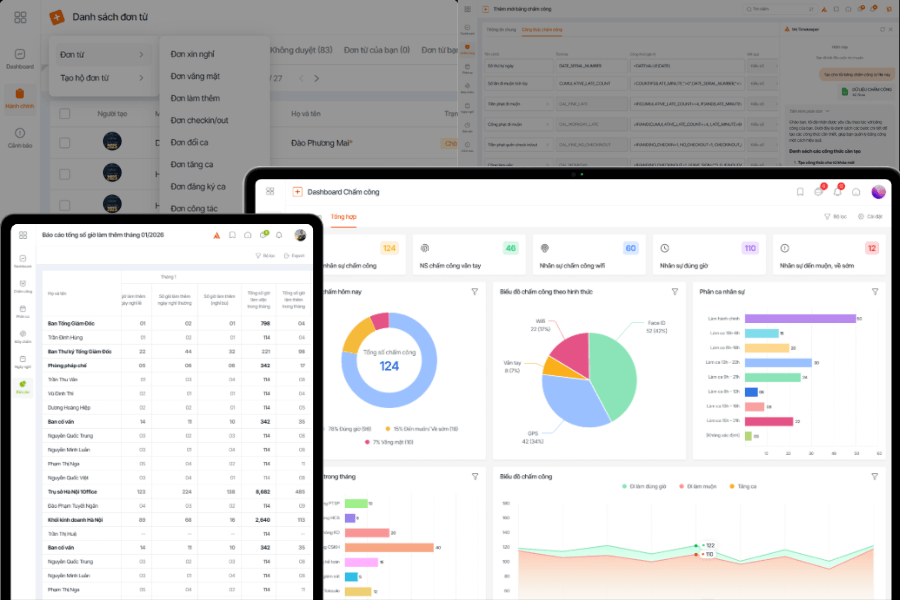
Additionally, 1Office’s timekeeping software supports extremely flexible shift management. Businesses can set up various types of shifts, such as administrative, rotating, split, and night shifts, and automatically apply the appropriate timekeeping rules. AI helps process this complex data quickly, even for businesses with multiple branches or hundreds of employees.
Frequently Asked Questions When Choosing Timekeeping Software (FAQs)
Can businesses transfer data from Excel to the timekeeping software?
Yes. Most modern timekeeping software supports data import from Excel during the initial implementation phase. Businesses can transfer basic information such as employee lists, departments, work shifts, or a portion of old timekeeping data to the system.
How long does it take for a business to get used to and operate the timekeeping software stably after implementation?
The time to familiarize and achieve stable operation depends on the size of the business and the complexity of the timekeeping process. For small businesses or those with simple processes, it usually takes only a few days to 1-2 weeks. For businesses with multiple shifts, many branches, or the need to integrate other systems, it may take longer.
Can timekeeping software prevent buddy punching or time fraud?
Yes. This is one of the major benefits of timekeeping software compared to manual management. Many current software solutions support methods like facial recognition, GPS, WiFi, or authentication via personal devices, which significantly reduces buddy punching or incorrect location check-ins.
Additionally, data is saved on the system in real-time with a clear history, making it easier for businesses to check for discrepancies. While it cannot eliminate all risks entirely, the software greatly increases transparency and control.
Is it easy to connect timekeeping software with existing time clocks, HR systems, or payroll software?
Most modern timekeeping software is designed to connect with time clocks and related systems like HRM or payroll software. The level of difficulty depends on the provider, the type of device the business is using, and the software’s integration capabilities.
Conclusion
Through this article, businesses have gained an overview of 33 prominent timekeeping software solutions in the Vietnamese market for 2026, ranging from free solutions suitable for small businesses and SMEs to paid platforms for medium and large enterprises. Instead of spending a lot of time researching each software individually, readers can use the list compiled by 1Office to quickly compare, contrast, and narrow down the choices that fit their actual needs. We wish your business success in selecting the right solution for sustainable growth!
















