


 11/05/2026
  389 views
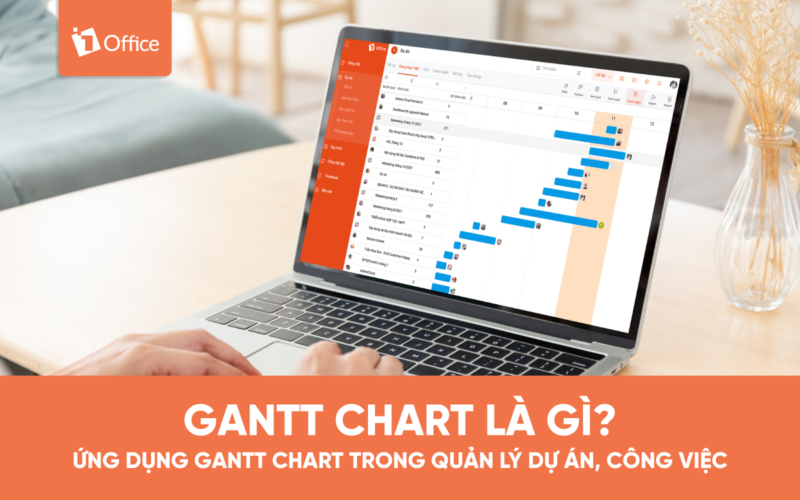
What is a Gantt Chart? Why do so many businesses today effectively apply Gantt Charts in project management? In this article, 1Office will introduce you to this type of chart, along with its benefits and how to use it.
Mục lục
I. Overview of What a Gantt Chart Is and Its History
Managing a project is not an easy task and always weighs heavily on the manager’s shoulders. Therefore, to ensure successful project implementation, management support tools like the Gantt Chart are fully utilized by managers worldwide.
1. What is a Gantt Chart?
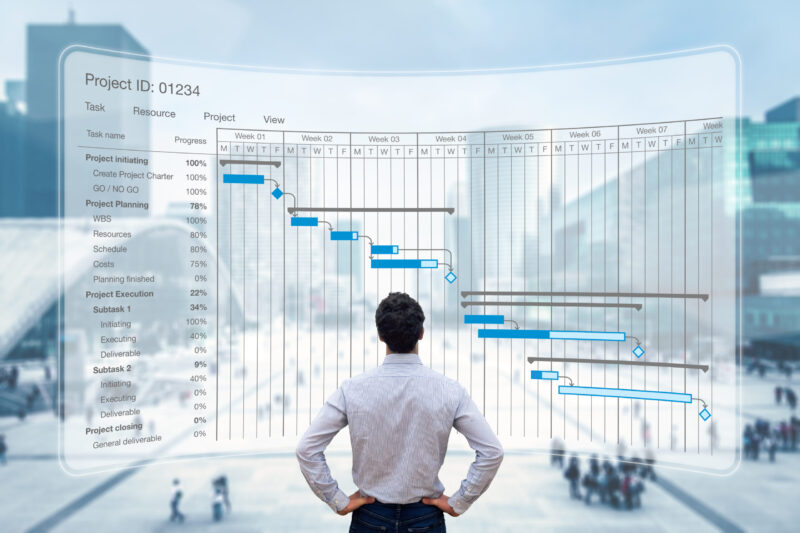
A Gantt Chart is a type of horizontal bar chart used in project management to visually represent a project plan against a timeline. Gantt charts typically display the progress, status, and the person responsible for each task in the project.
2. History of the Gantt Chart
The first Gantt chart appeared in the mid-1890s, created by Karol Adamiecki, a Polish engineer who ran a steelworks in southern Poland and became interested in management ideas and methods.
About 15 years later, Adamiecki and Henry Gantt—an American engineer and project management consultant—improved upon and invented his own chart. This chart format gradually became widely known and popular in Western countries. Consequently, Henry Gantt’s name was used to name this type of chart.
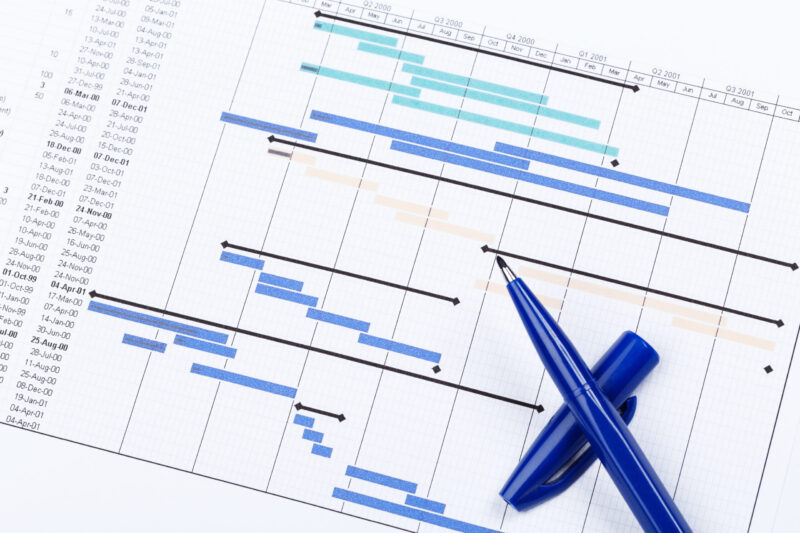
Initially, Gantt charts were prepared and created entirely by hand. However, projects constantly require adjustments and changes, making this manual method inconvenient and cumbersome. Today, with the development of technology and project management software, Gantt charts are much easier to create and update.
3. When are Gantt Charts used?
Here are some of the main uses of a Gantt Chart.
Project Planning
Gantt charts display project timelines according to planned tasks and their deadlines. It also provides a high-level view (e.g., summary tasks and overall project progress) or a detailed view (such as the progress of each specific task and the person responsible for it).
Gantt charts show the relationship between tasks over time, the project sequence, task dependencies, and key milestones. With this chart, every member of the company can grasp important project information and be proactive in their work.
Project Phase Overview
A Gantt chart not only includes information for the entire project lifecycle but also allows you to set up detailed views for departments, phases, or sections of the project. With a Gantt chart, users can easily manage the overall project as well as each small phase within it, and allocate work reasonably.
Project Progress
Gantt charts allow team members to easily update the status and completion of tasks. This is also a more effective way to manage projects because it automatically updates the progress of each person’s sub-tasks on the overall chart screen, helping relevant stakeholders stay informed of the latest task statuses.
See more: What is Kanban? How to Apply Kanban in Work Management
II. What are the Advantages of Gantt Charts in Project and Work Management
Besides its great uses, what are the advantages of Gantt Charts that make so many project managers actively apply them in project and work management? Here are the most significant benefits that Gantt Charts offer:
1. Enhance Transparency
A Gantt Chart is a visualization tool that consolidates multiple tasks and processes into a single chart. It provides a complete overview of the ongoing project along with important information such as the team members involved, priority order, duration, start and end dates of tasks, related tasks, and much more. Through a Gantt Chart, all parties can easily track project progress as well as the processes required to complete the project.
2. Improve communication
For any team, communication plays an indispensable role in project success. It’s a factor that can make or break success. Most projects fail due to a lack of proper communication and collaboration.
This is why project managers actively use Gantt charts to replace daily meetings. This helps team members easily grasp task progress and timelines, thereby improving the information flow process while saving more time.
3. Motivate employees
When they can see work progress in real-time, employees will work much more effectively. Specifically, Gantt charts help team members focus on their assigned tasks, prioritizing those with upcoming deadlines to avoid missing them.
4. More effective coordination
Gantt charts help project managers set deadlines for tasks in order of priority, helping to avoid overloading team members. Sometimes, project managers also use a combination of charts to divide project tasks among smaller groups for easier management. This enhances coordination and reduces the risk of project failure.
5. More scientific time management
One of the most significant benefits of having a Gantt Chart is scheduling. Since time is an indispensable factor determining a project’s success, a Gantt chart provides a unified view of the project’s progress along with start and end dates. This prevents unnecessary delays and helps team members stay on track with their original timeline. With this, tasks can be easily prioritized and ensured to be completed on time.
6. More effective project management
A project often includes many complex, overlapping tasks. Gantt Charts help consolidate all these parts and present them in the simplest and most intuitive way. This helps project managers make effective decisions regarding the team, resources, schedule assignments, task allocation, and more.
7. More flexibility
Nothing in this world is immutable. The same applies to project management, where change is a crucial part of the process. Therefore, project managers must always be ready to make any necessary adjustments to keep the project on track and moving towards success. With the support of a Gantt Chart, you can easily react to unexpected changes in the project’s scope or timeline.
Manage and track work performance automatically with
>> 3 comprehensive and effective work management solutions that are most popular
III. How to apply Gantt Charts most effectively
Now that you understand what a Gantt Chart is, let’s learn how to apply this type of chart most effectively.
There are many Gantt chart software programs available today specifically designed to create diagrams for all types of projects. However, the features of these programs are often limited to the project planning stage, creating limitations in managing work and tasks because the manager will have to switch to another platform or tool to communicate and discuss the quality of results for each job. It will be very difficult to control and closely monitor the tasks of the team and its members.
Therefore, a project management tool that integrates a Gantt chart interface is the most suitable choice for a manager because it provides everything you need to manage the entire project lifecycle
On the market today, 1Office is a leading project management solution favored and trusted by users, rated as the best platform for overall work and process management.
1. Manage projects and tasks
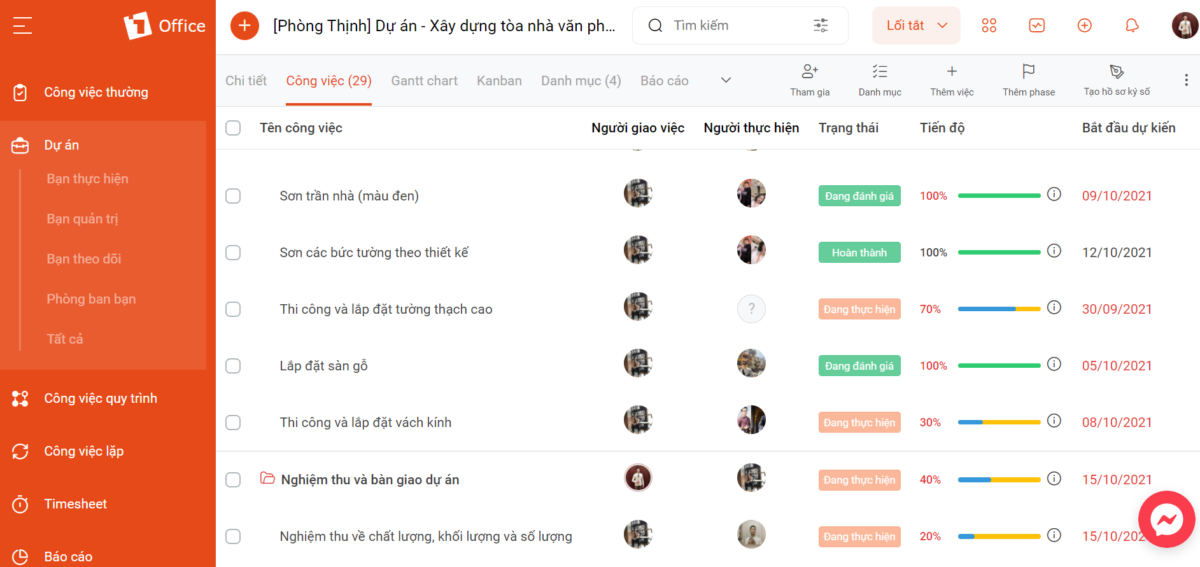
When setting up a project on 1Office, you can add different tasks within that project. As tasks are completed according to the criteria you set, their completion percentage/progress will be displayed on the interface as shown in the image below.
2. Set start & end dates
Setting up and tracking schedules for each task also becomes much easier. The software allows for assigning tasks and setting start and end dates, helping managers and employees proactively track whether work is completed on time.
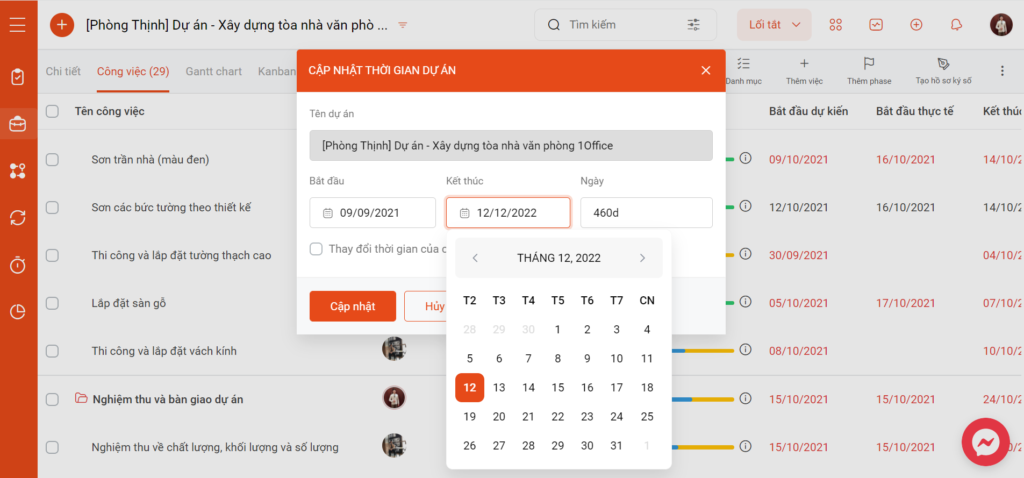
The software will also display “Planned” and “Actual” work progress, allowing managers to easily evaluate employee performance (who completes tasks on time, who misses deadlines, the reasons why, etc.) to create more suitable work allocation plans for each individual.
3. Add tasks and assign performers
The next step is to create sub-tasks within each parent task and their corresponding workflows. The task list will serve as a measure of the project’s progress, allowing you to track everything that is happening and ensure it meets deadlines.
After creating tasks and updating the information fields, the next step is to assign the departments & members who will perform each task.
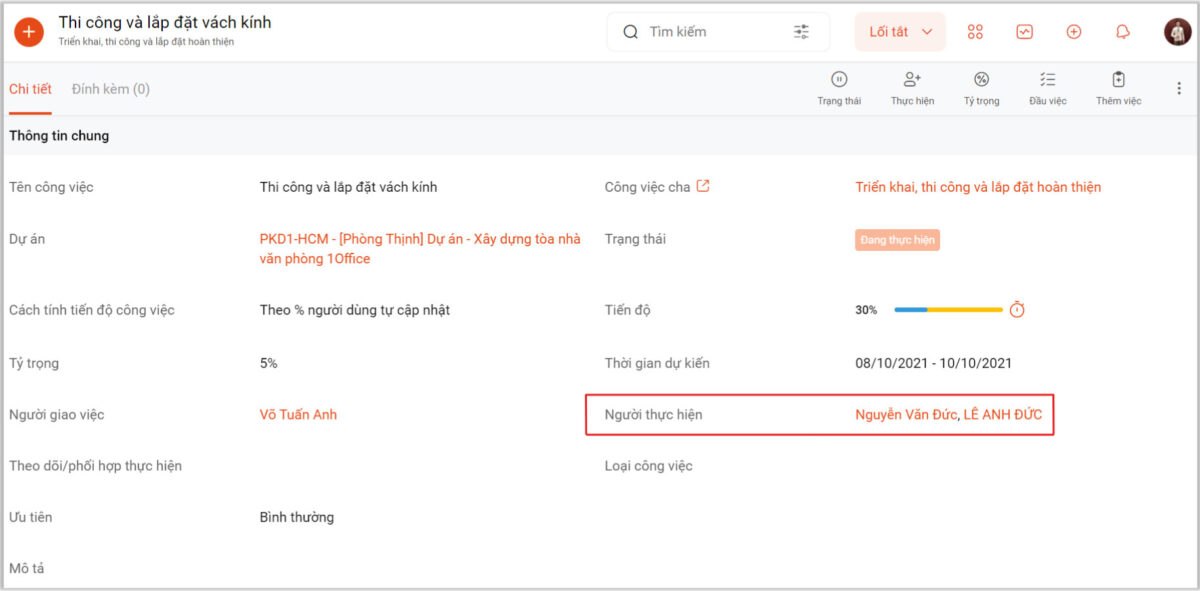
By inheriting the organizational chart from the HR module, managers can conveniently and quickly assign tasks by department and position. The clear division of responsibilities among departments helps minimize delays or missed assignments.
An extremely useful feature is that the software sends instant notifications to project stakeholders whenever there is a change. Additionally, project members can discuss, interact directly, and attach relevant documents in the project/task discussion section.
4. Automatically export reports as a Gantt Chart
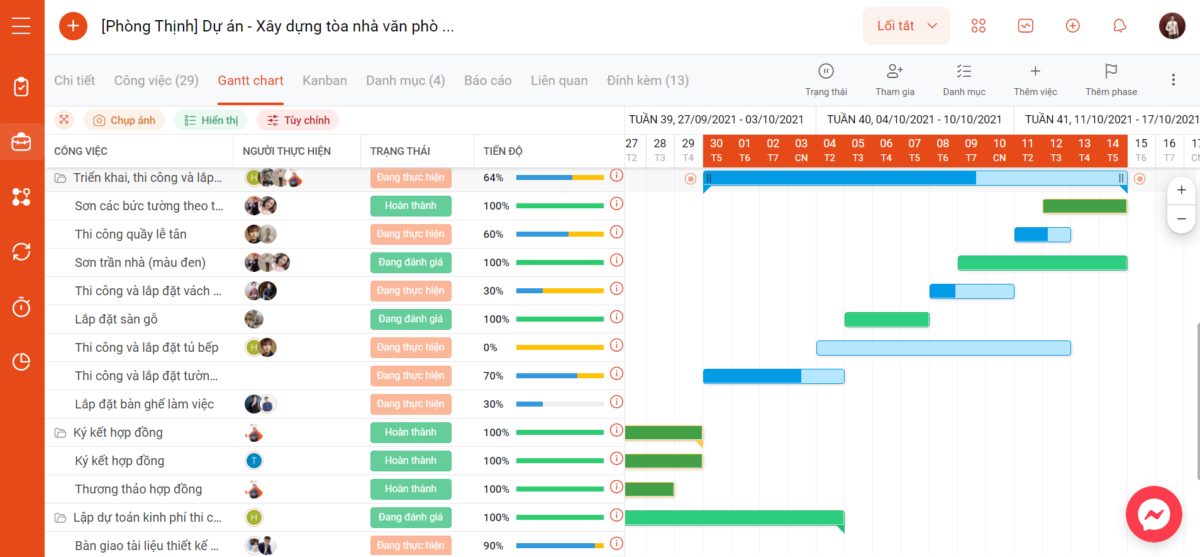
The software automatically extracts all project data to display it as a Gantt Chart, as well as in other formats like Kanban, Checklist, etc. Providing a variety of chart types gives managers a more comprehensive and multi-dimensional view of the entire project’s strengths and weaknesses, and helps them devise effective improvement plans for the future.
IV. Conclusion
There are many methods businesses can use to ensure effective project outcomes, such as Project management with the Scrum model or the Agile model, and using a Gantt Chart is also a powerful support tool for managers. Integrating Gantt charts into project management solutions makes project management much easier and more effective.
According to a survey by Software Consultin, about 43% of project management professionals still plan projects using manual methods, meaning they create and maintain separate Gantt charts. Meanwhile, 35% of respondents have successfully applied project management tools with integrated Gantt charts.
We hope this article has answered what a Gantt Chart is, as well as how to apply this type of chart most effectively. If you want to register to use a project management tool with an integrated Gantt Chart to track progress and measure project performance effectively, please leave your information for 1Office experts to contact and advise you.
For more details, please contact:
Hotline: 083 483 8888
Fanpage 1Office: https://www.facebook.com/1officevn
Youtube: https://www.youtube.com/c/1OfficeNềntảngquảnlýtổngthểDoanhNghiệp
















